
B2B Dealer Portal

Dealers order 24/7 with their own prices, stock and balance — you manage everything from one panel.

See the modules

17 modules

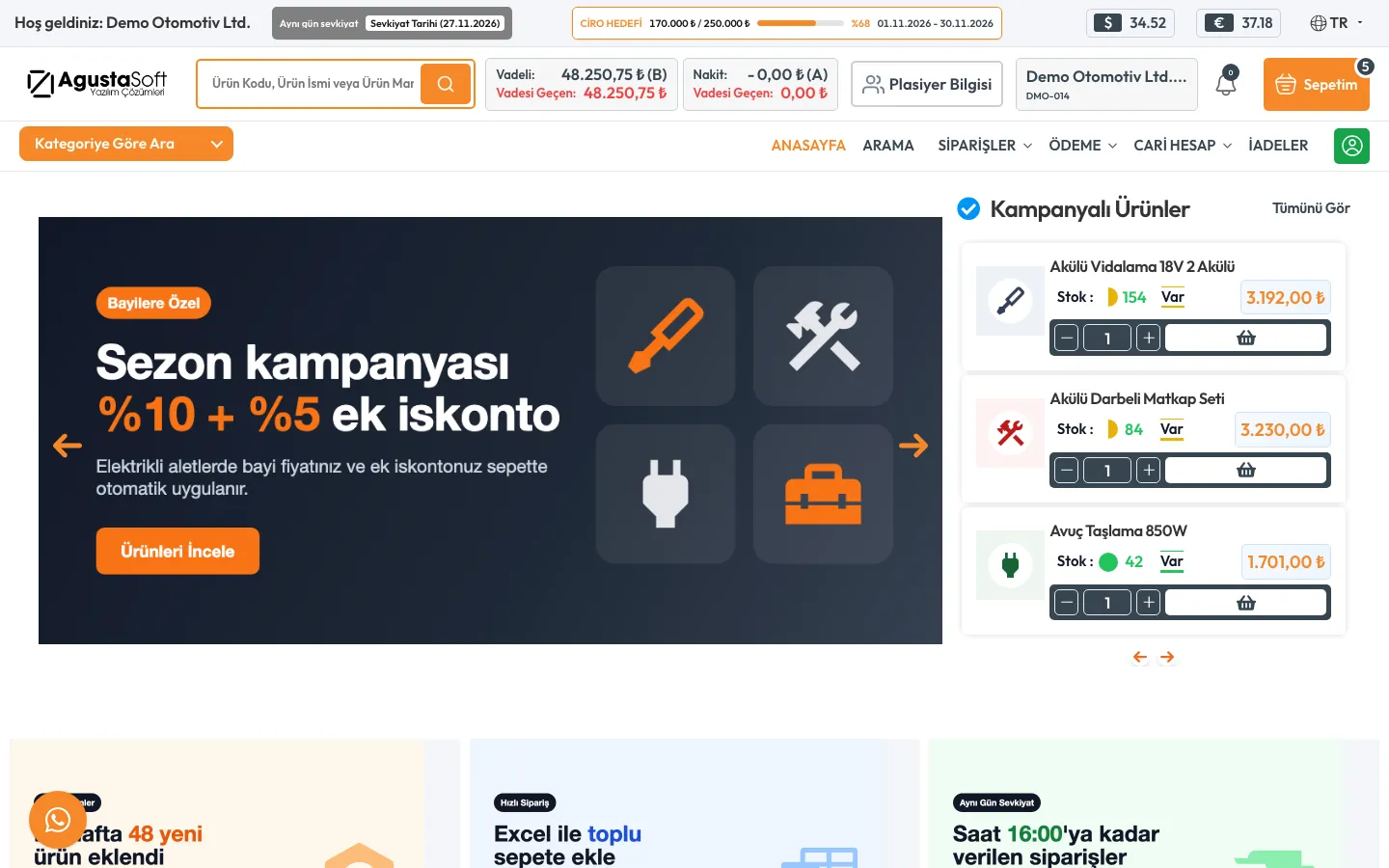
Dealer Home Page
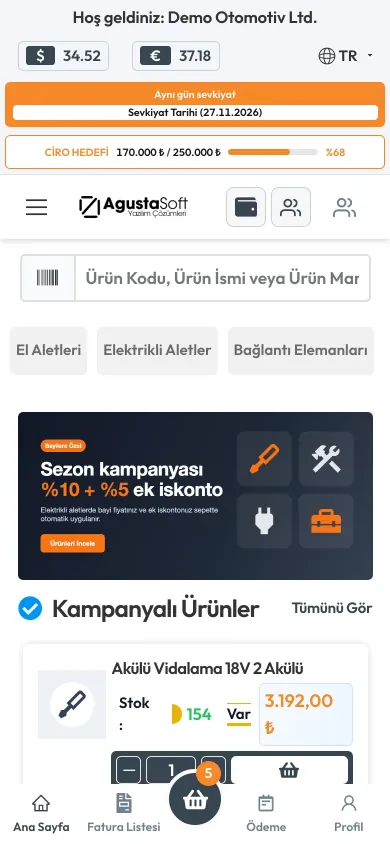
Dealer Home Page – Mobile screen

A module-by-module product tour

The screenshots are taken from the product itself and show demo data.

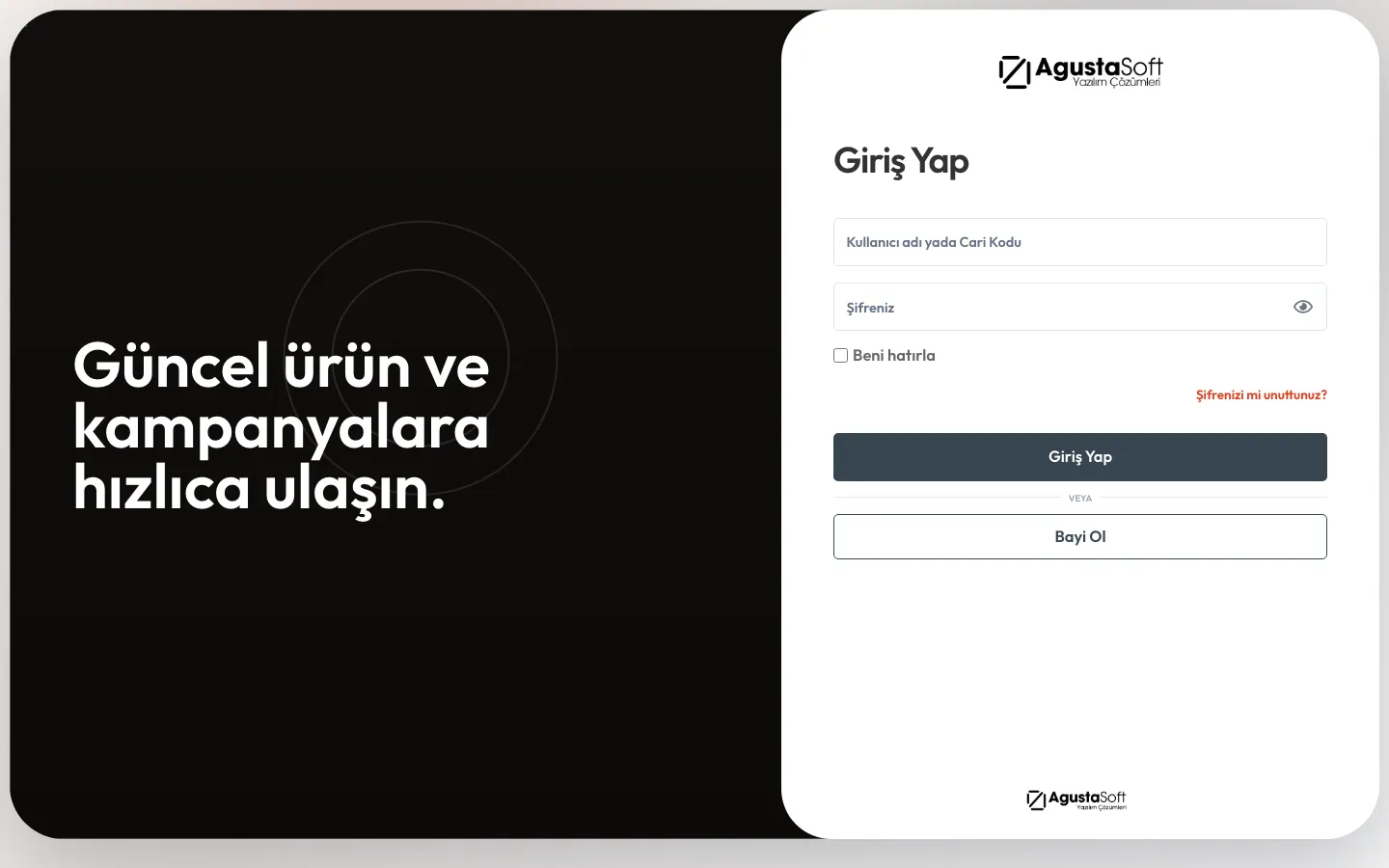
Dealer Login & Sign-up

Dealer Login & Sign-up

Dealers sign in securely with a username or account code; new dealers apply through a sign-up form.

  • Login with username or account code
  • Two-factor verification (SMS / e-mail)
  • Password recovery flow
  • "Become a dealer" application form
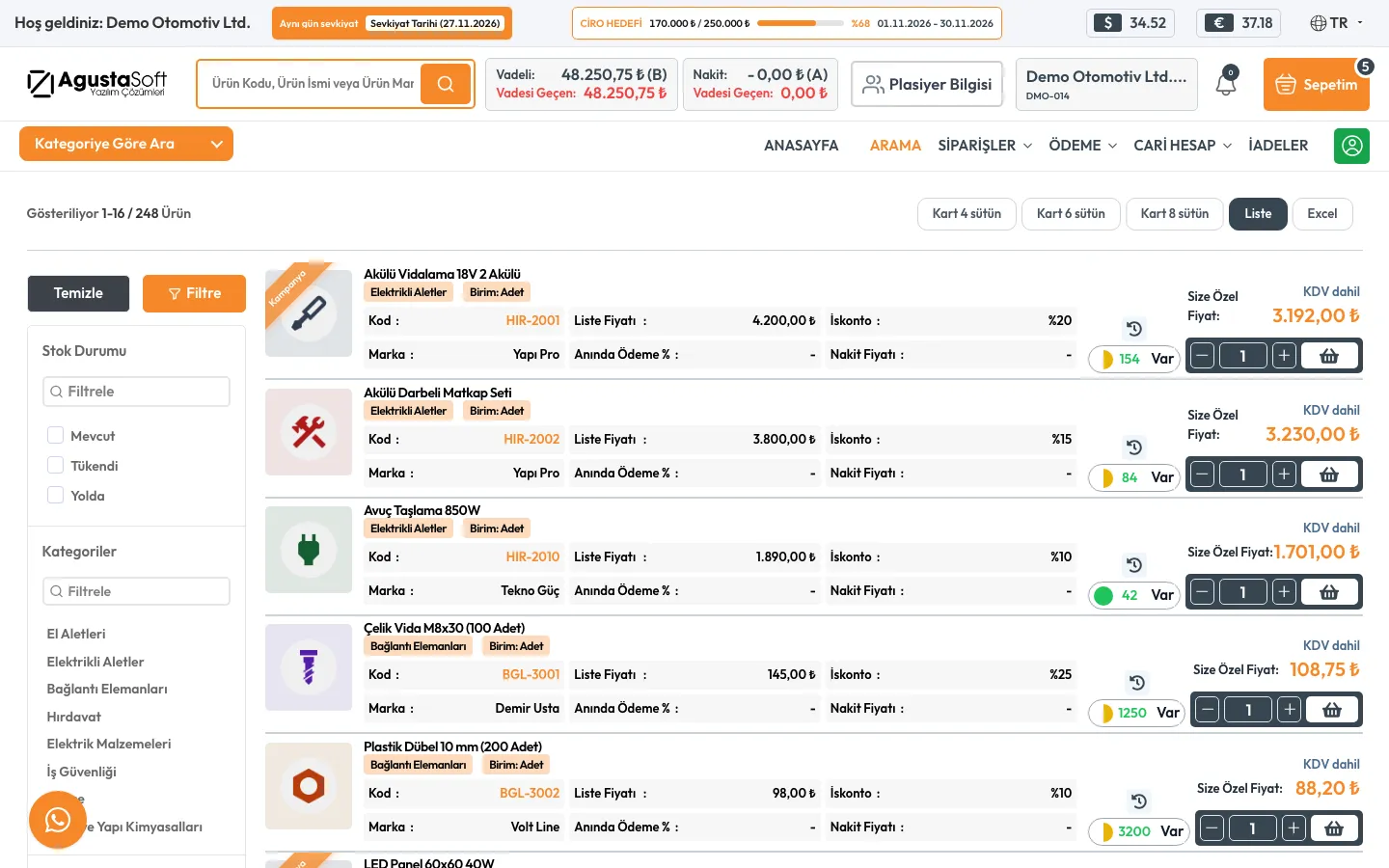
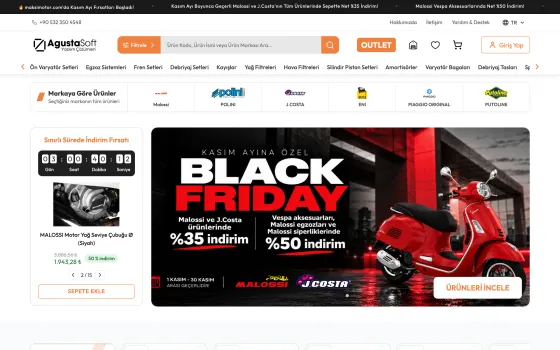
Dealer Home Page
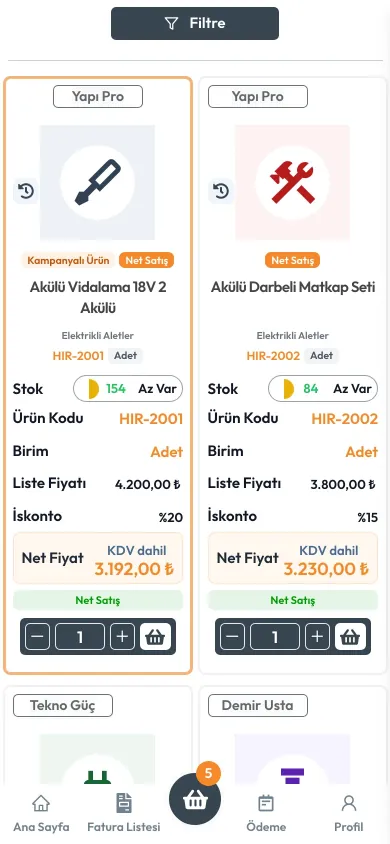
Dealer Home Page – Mobile screen

Dealer Home Page

After login the dealer sees campaign banners, campaign products, balance summary and sales target on one screen.

  • Manageable sliders and banners
  • Term / cash balance and overdue amount
  • Sales target progress bar
  • Same-day shipping countdown
  • Exchange rates and language switch
Product Search & Catalog
Product Search & Catalog – Mobile screen

Product Search & Catalog

Search by code, name or brand; filter by category, brand and stock, with dealer-specific prices.

  • List price, discount and dealer net price
  • Live stock status (in stock / low / out / on the way)
  • Category, brand and stock filters
  • Card, list and Excel views
  • Campaign and net-price badges
Cart & Checkout
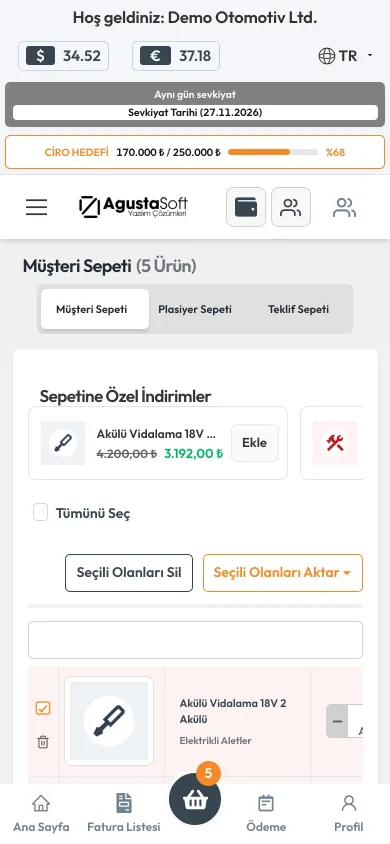
Cart & Checkout – Mobile screen

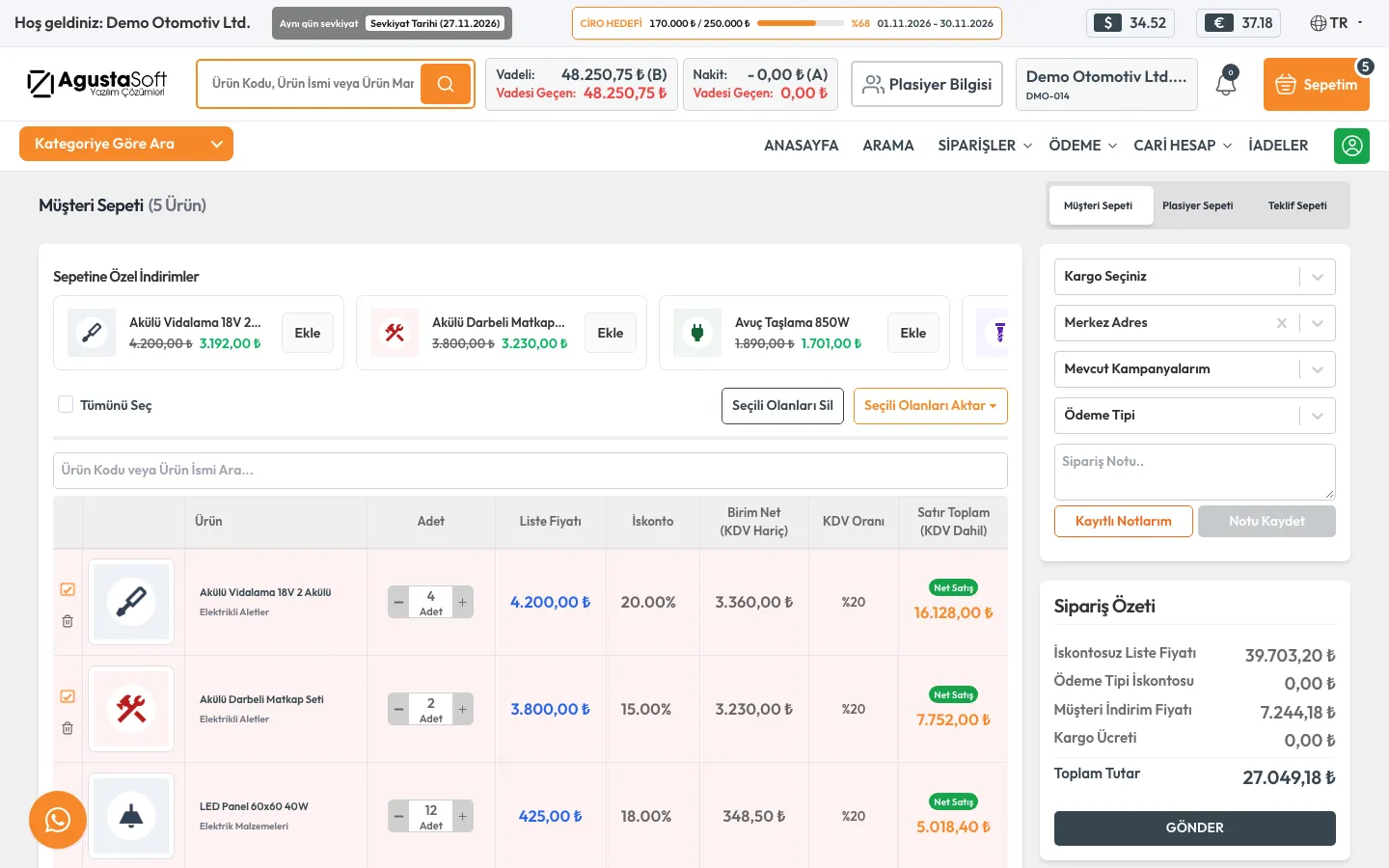
Cart & Checkout

The dealer edits the cart, picks shipping, delivery address and payment type; discounts and VAT are calculated instantly.

  • Customer, sales-rep and quote carts
  • Cart-specific discounts and campaigns
  • Shipping, address and payment type selection
  • Order notes and saved notes
  • Delete / transfer selected items
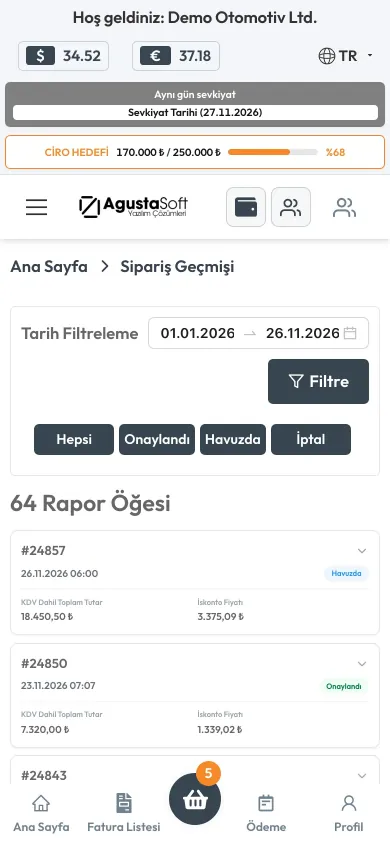
Order History & Tracking
Order History & Tracking – Mobile screen

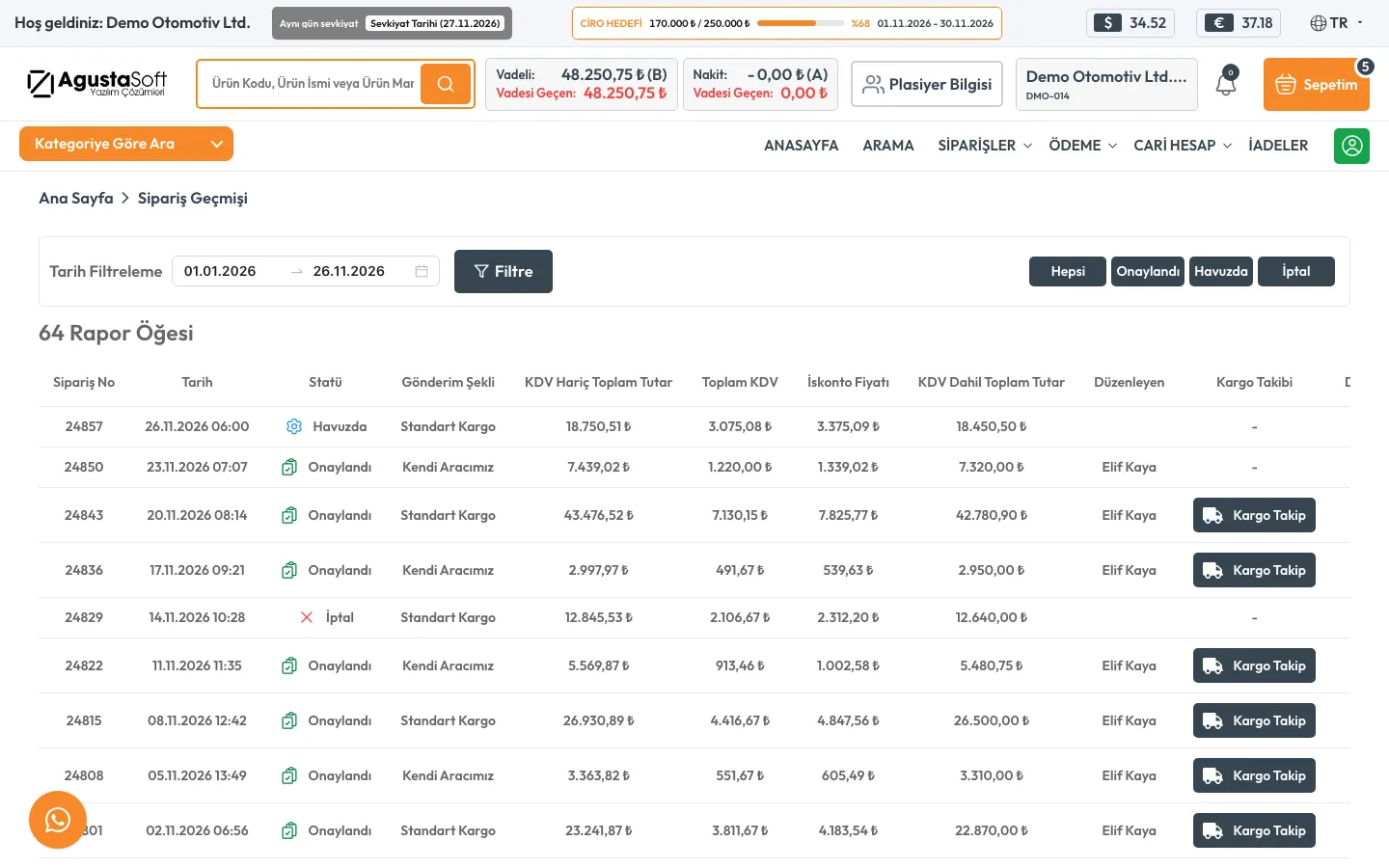
Order History & Tracking

Dealers filter their orders by date and status, see amount breakdowns and jump to shipment tracking.

  • Date range and status filters
  • Pending / approved / cancelled statuses
  • Net, VAT and discount breakdown
  • Cargo tracking link
  • Order detail and PDF
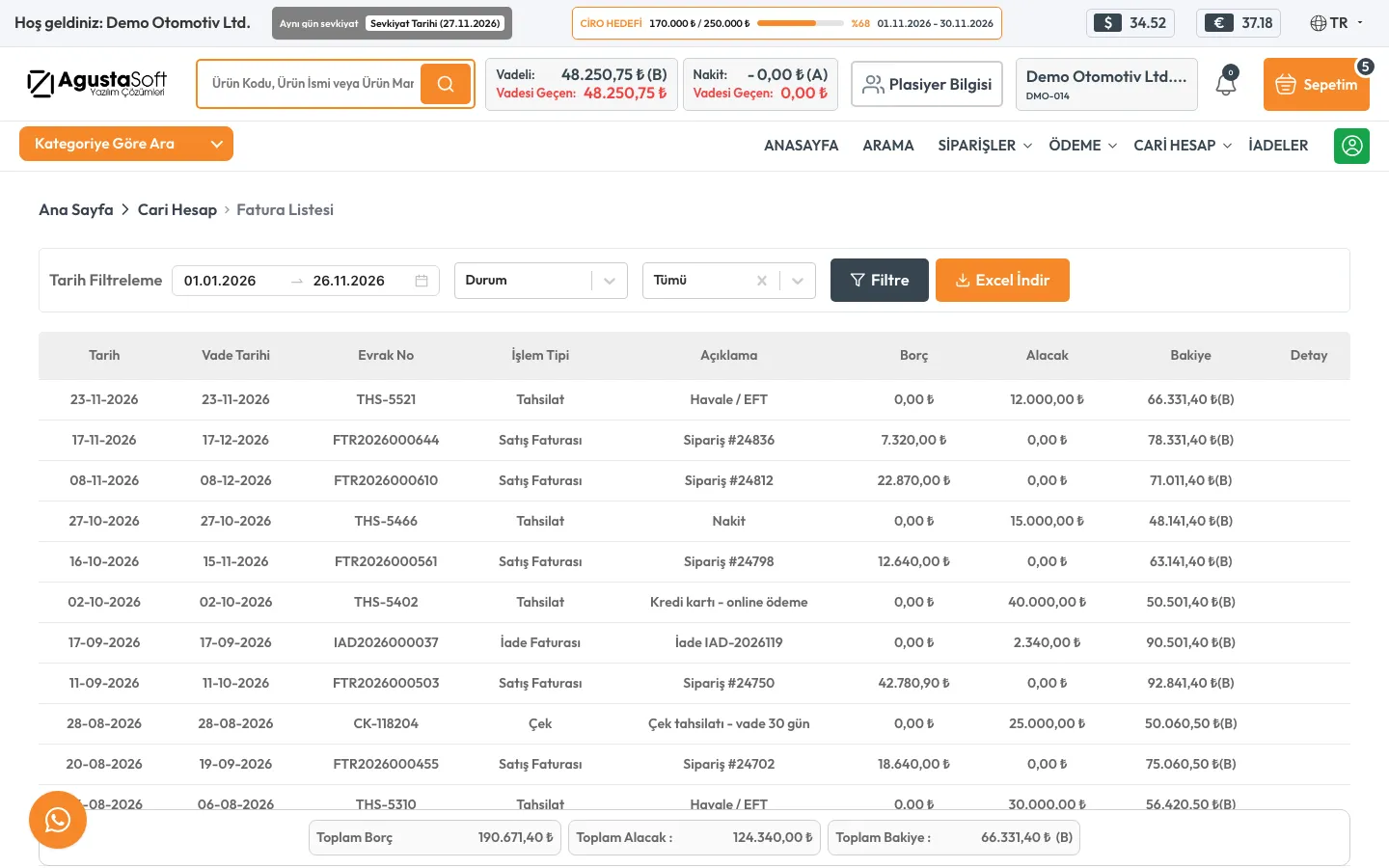
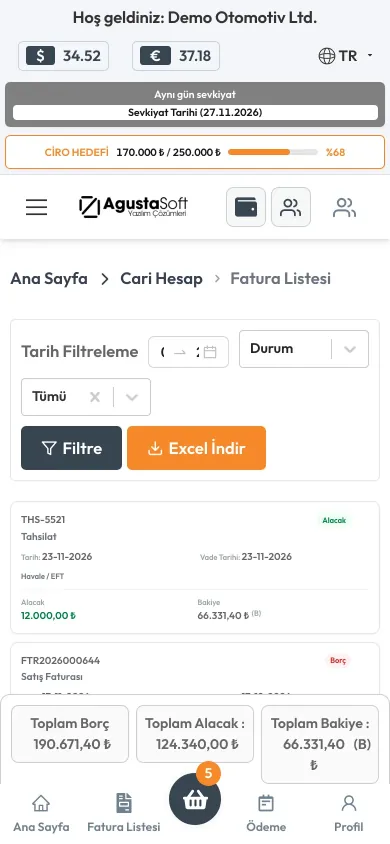
Account Statement
Account Statement – Mobile screen

Account Statement

Invoices, collections, cheques and returns are listed as debit/credit with running balance and totals.

  • Debit, credit and running balance
  • Due date and document number
  • Drill-down to invoice details
  • Date and transaction type filters
  • Export to Excel
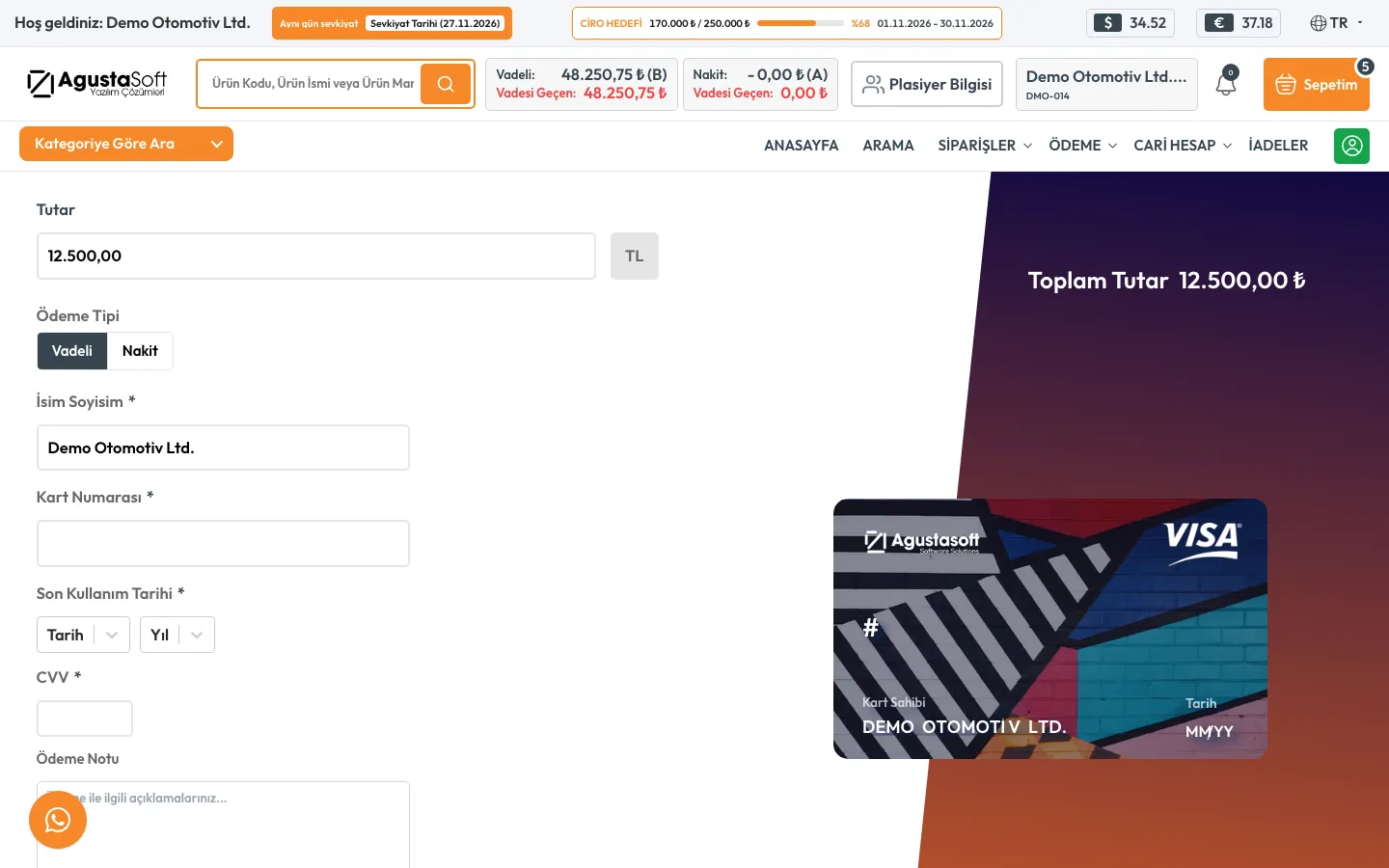
Online Payment

Online Payment

Dealers pay their balance by credit card to the term or cash account, with installments and 3D Secure.

  • Pay to term or cash account
  • Bank and installment detection by card
  • 3D Secure payment
  • Payment note and receipt
  • Payment history
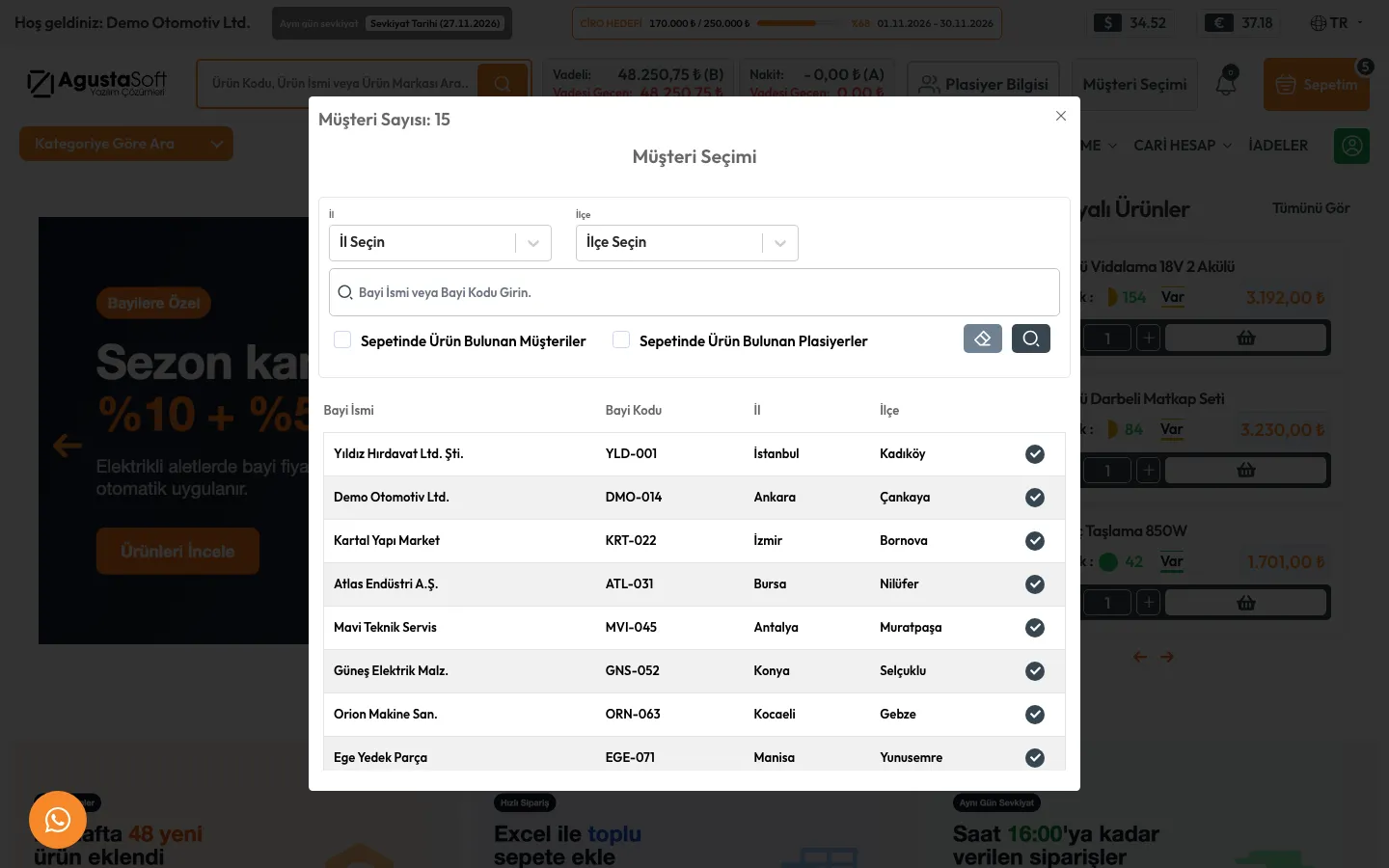
Sales Rep Customer Selection

Sales Rep Customer Selection

Field sales reps find their customers by city, district or cart status and place orders on their behalf.

  • Search by city/district and name/code
  • Filter customers with items in cart
  • Orders and collections on behalf of customers
  • Sales-rep cart
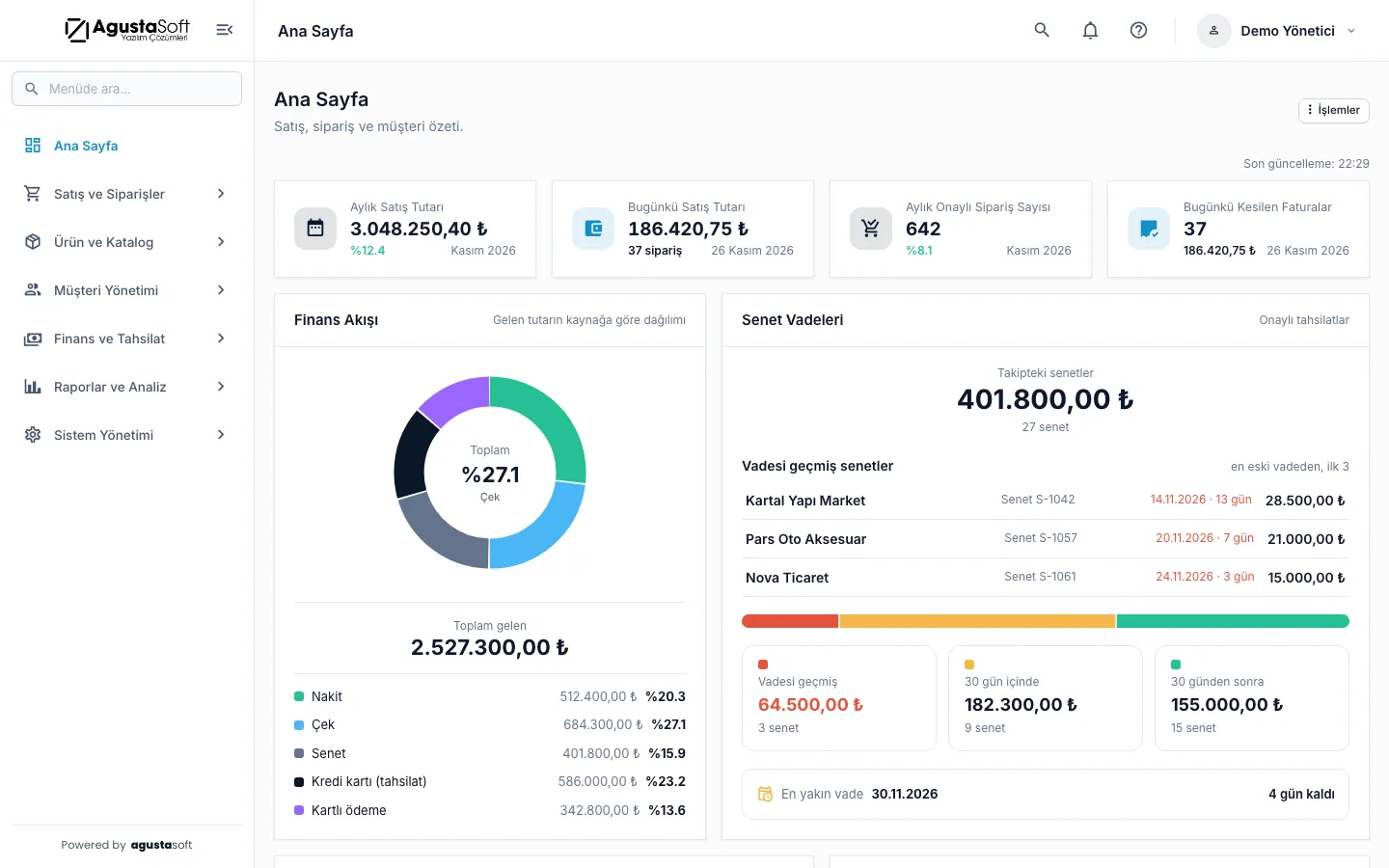
Admin Dashboard
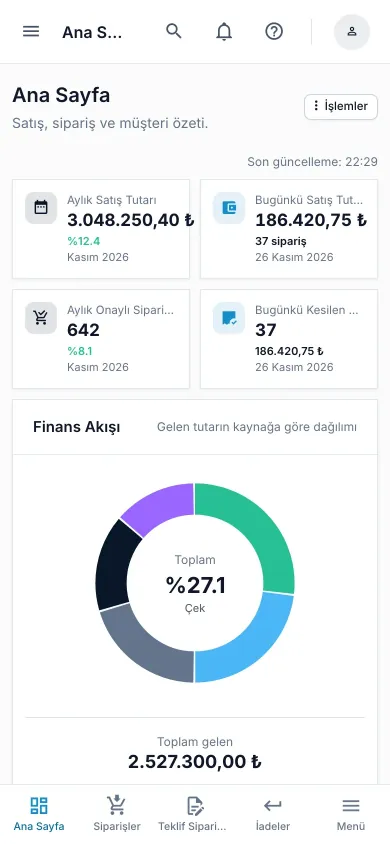
Admin Dashboard – Mobile screen

Admin Dashboard

The admin dashboard shows monthly and daily sales, approved orders, cash flow and note maturities at a glance.

  • Owner, operations and accounting modes
  • Monthly / daily sales cards
  • Cash flow by collection type
  • Promissory note maturity tracking
  • Mobile-friendly panel
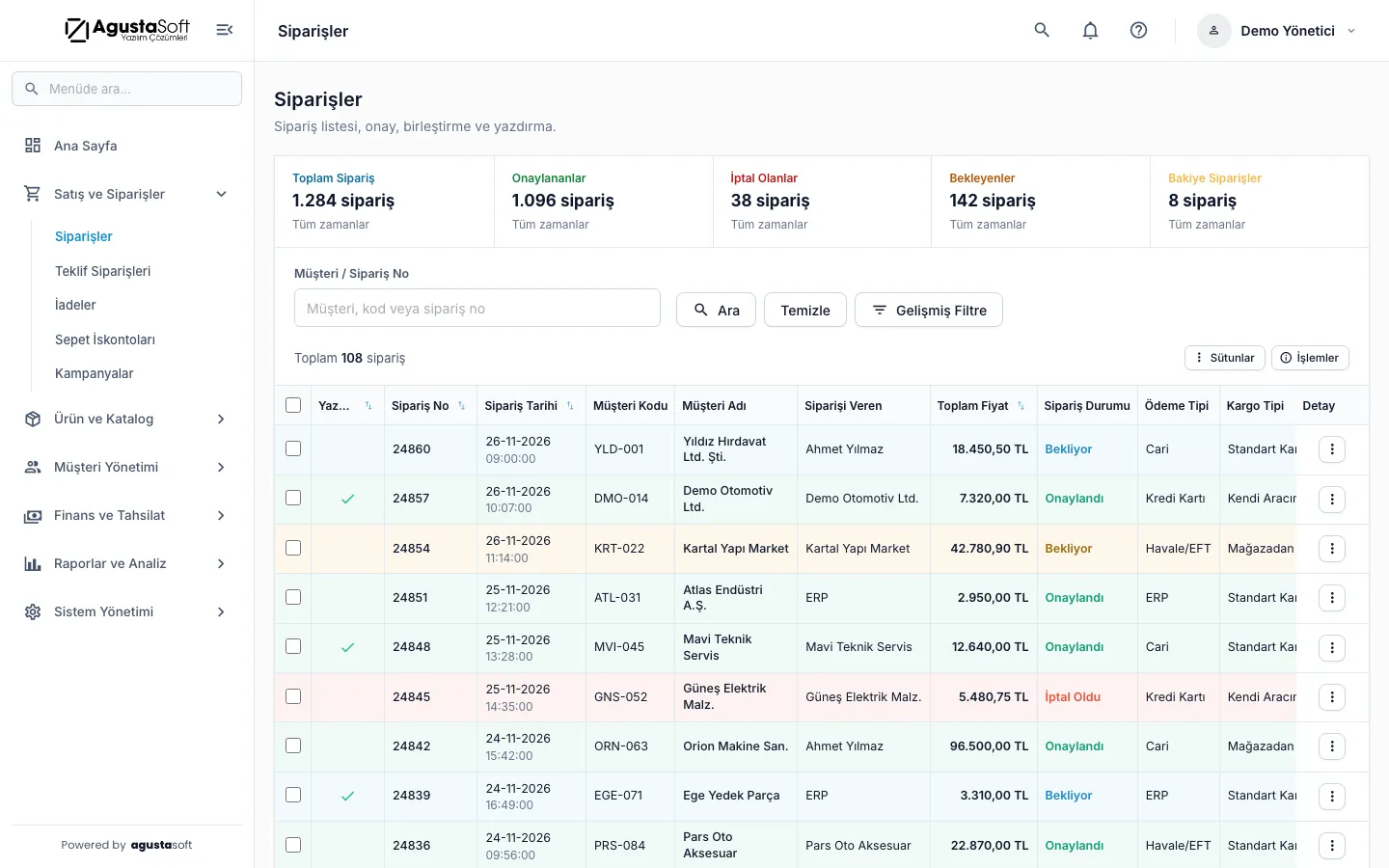
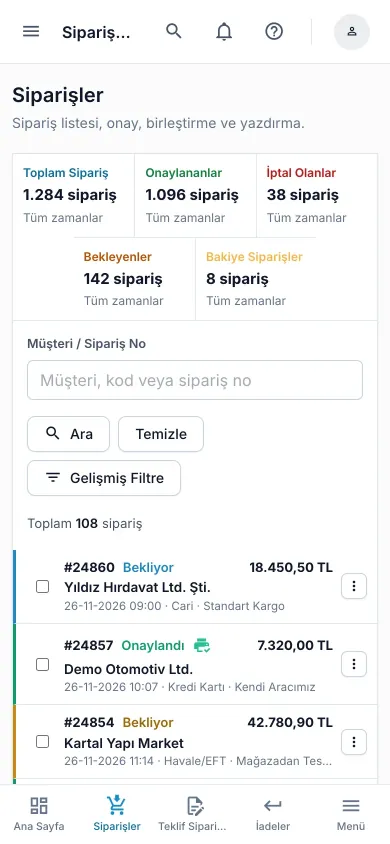
Order Management
Order Management – Mobile screen

Order Management

Incoming dealer orders are tracked with status cards; bulk approve, merge, print and send to ERP.

  • Pending / approved / cancelled / backorder cards
  • Bulk approval and order merge
  • Debt status and payment type columns
  • Print and PDF
  • Send to ERP
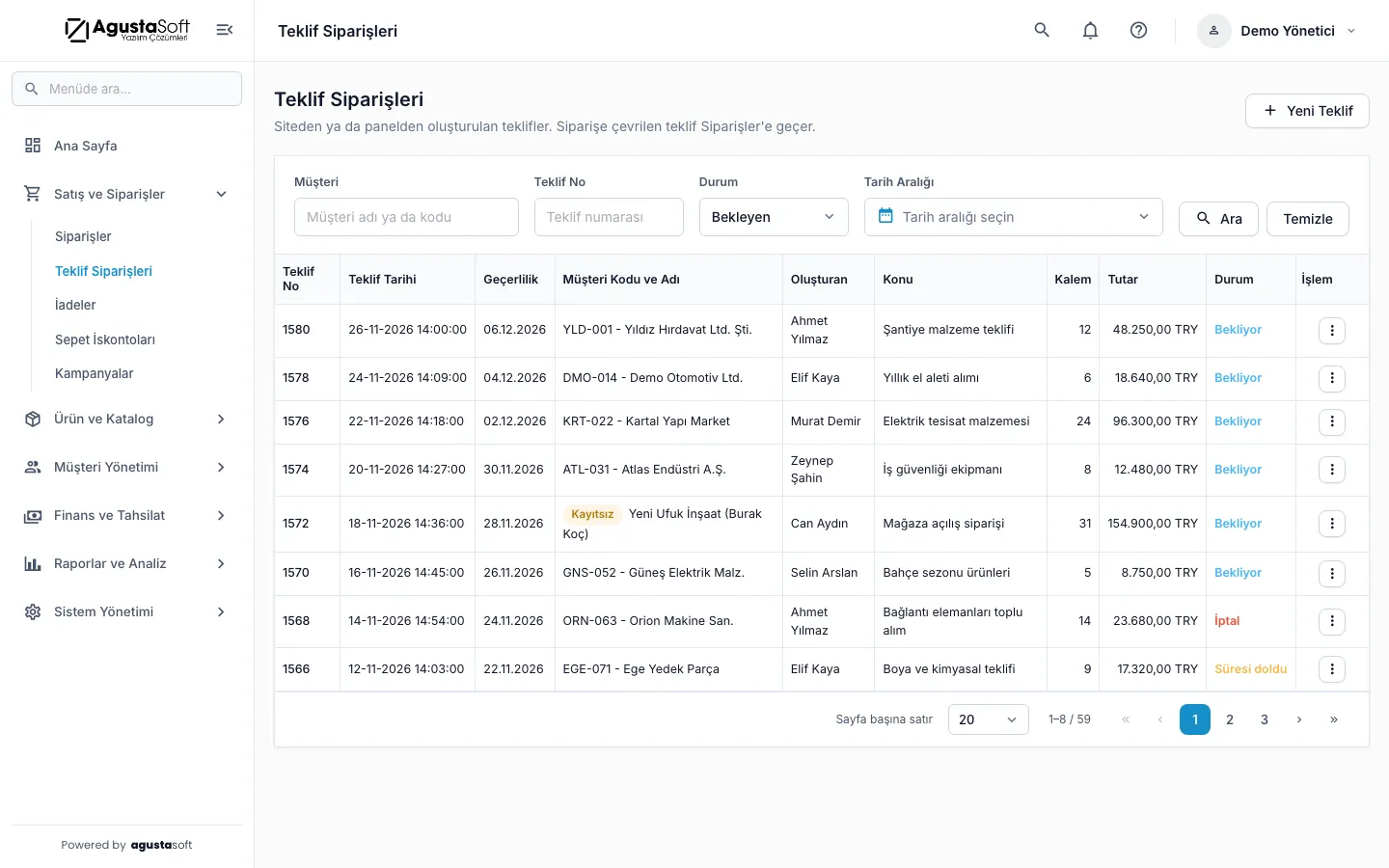
Quote Management

Quote Management

Sales reps or admins prepare quotes for registered or prospective customers; expired quotes are flagged.

  • Quotes for prospective customers
  • Validity date and status tracking
  • Line count and amount
  • Convert quote to order
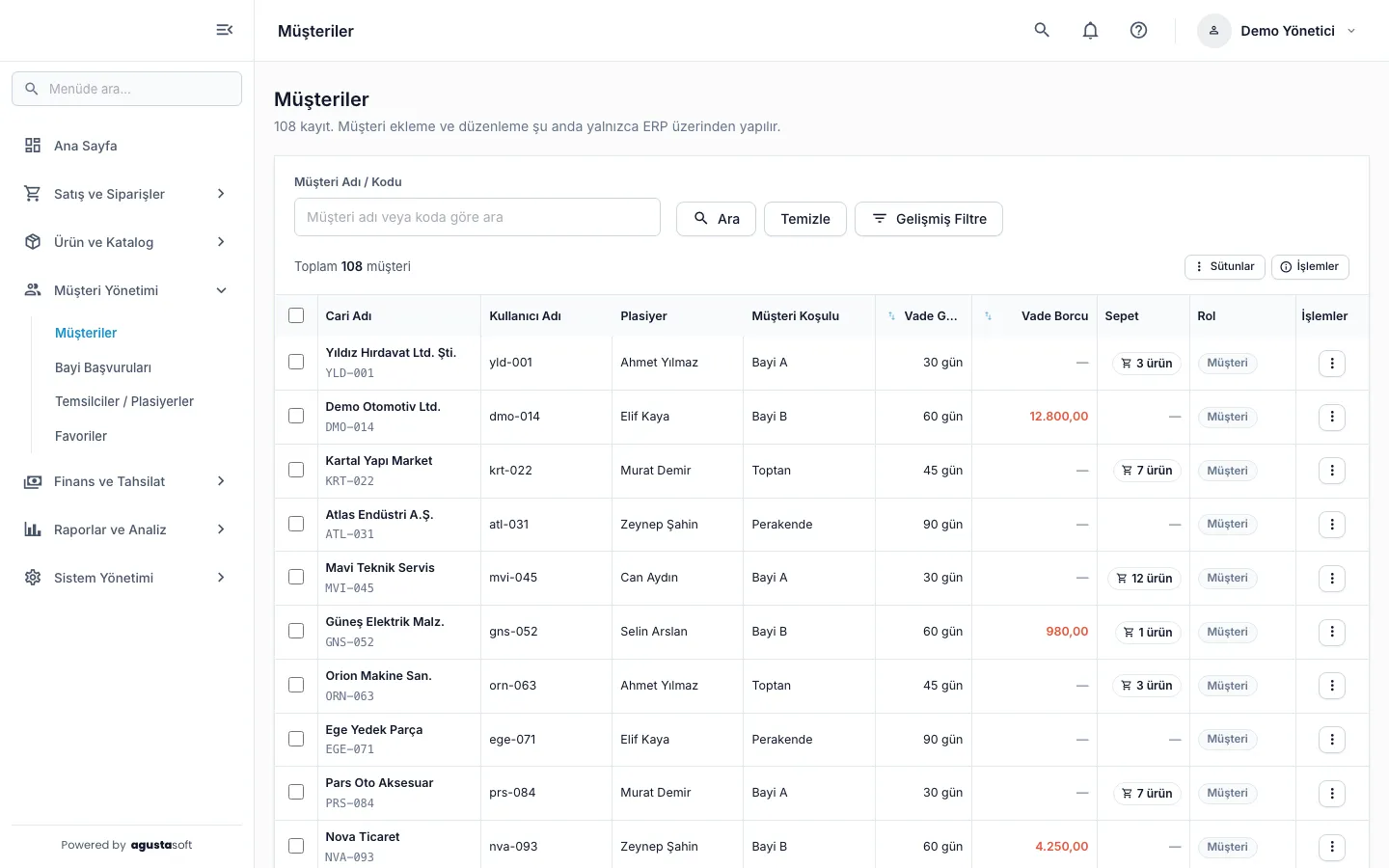
Dealer & Customer Management

Dealer & Customer Management

Customer accounts are listed with sales rep, pricing group, payment terms, overdue debt and cart contents.

  • Sales rep and pricing group assignment
  • Payment terms and overdue debt
  • View items in customer carts
  • Bulk password sending and discounts
  • Approve dealer applications
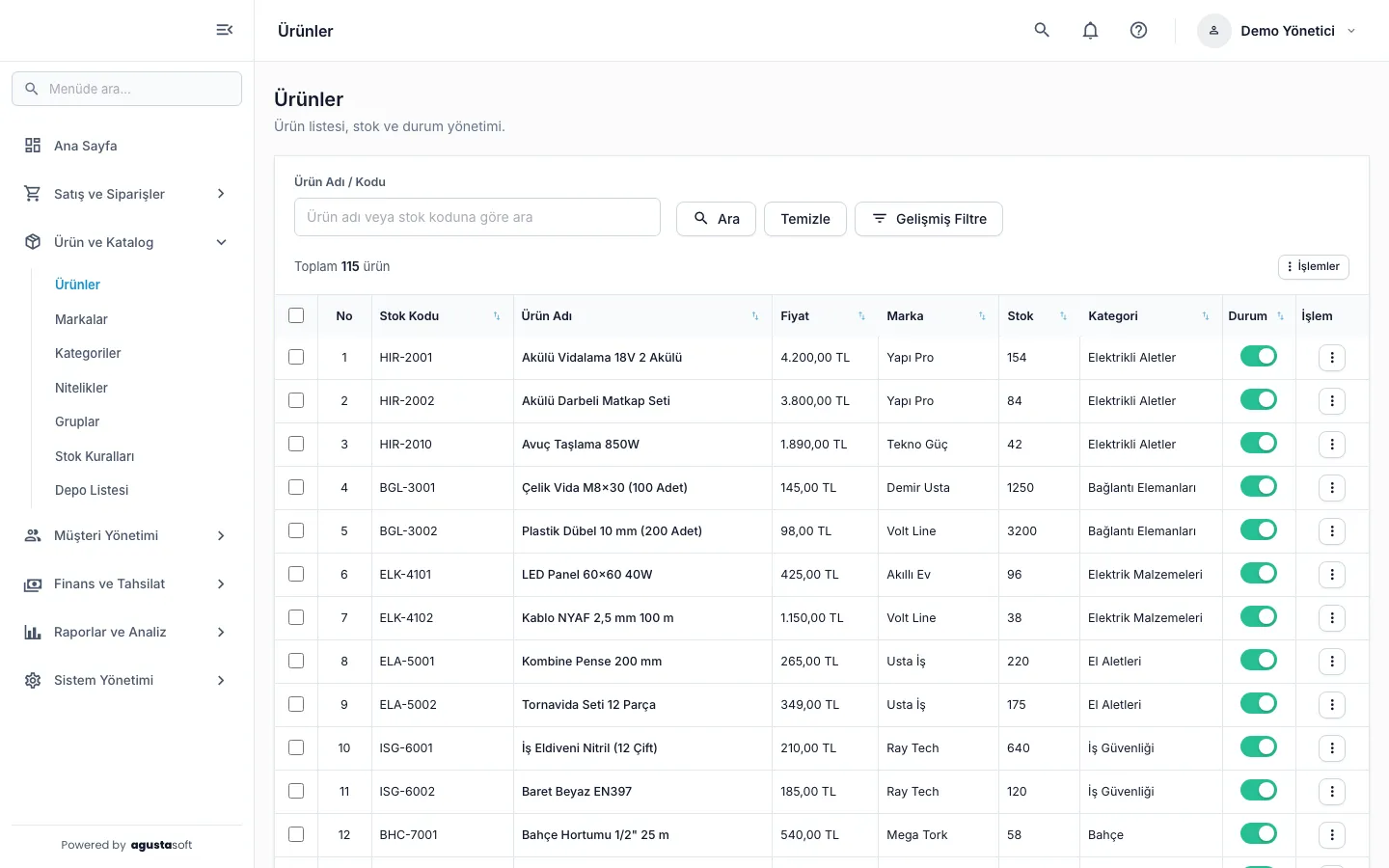
Product & Catalog Management

Product & Catalog Management

Manage products, brands, categories, attributes and warehouses; price, stock and visibility in one list.

  • Price, stock and active/passive status
  • Brand, category and attribute management
  • Bulk image and document upload
  • Stock display rules
  • Product sync with ERP
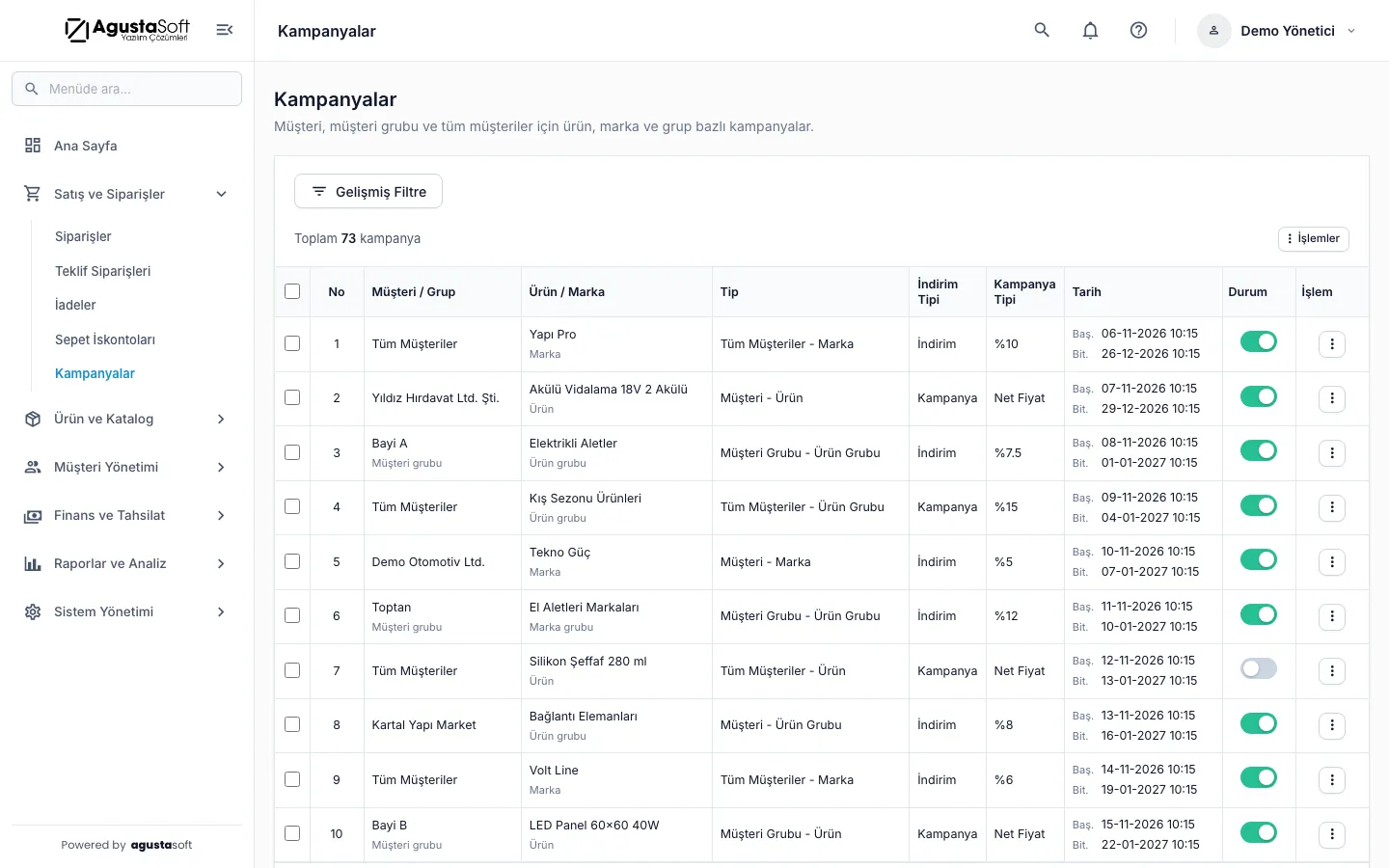
Campaigns & Discounts

Campaigns & Discounts

Define percentage or net-price campaigns per customer, customer group or all dealers, by product, group or brand.

  • Customer / group / all-customer targeting
  • Product, product group and brand rules
  • Percentage discount or net price
  • Start / end dates
  • Cart-level discounts
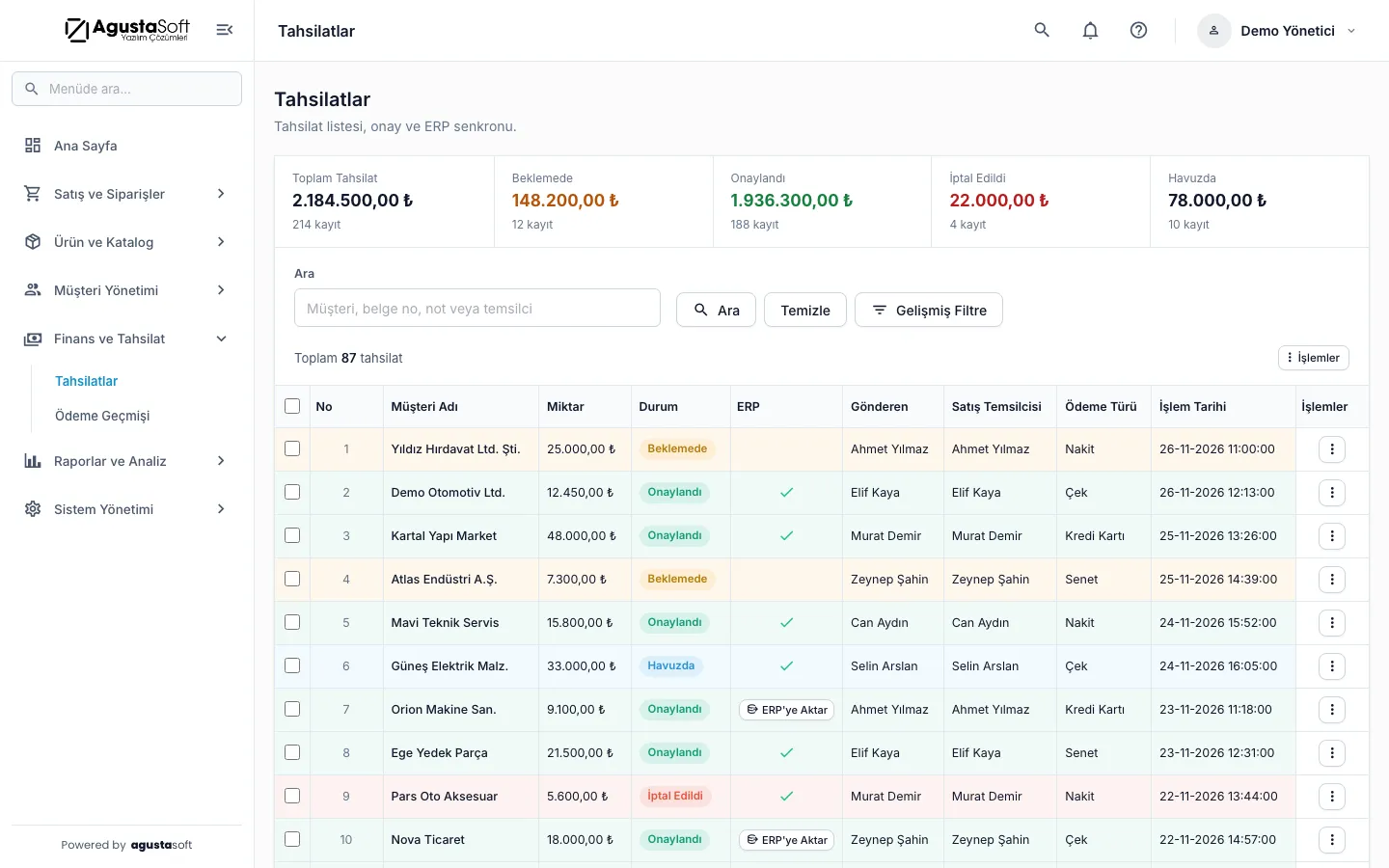
Collections Management

Collections Management

Cash, cheque, promissory note and card collections entered by sales reps are approved, rejected or sent to ERP.

  • Pending / approved / rejected / pool totals
  • Breakdown by payment type
  • Approve or reject collections
  • ERP transfer status
  • Receipt printing
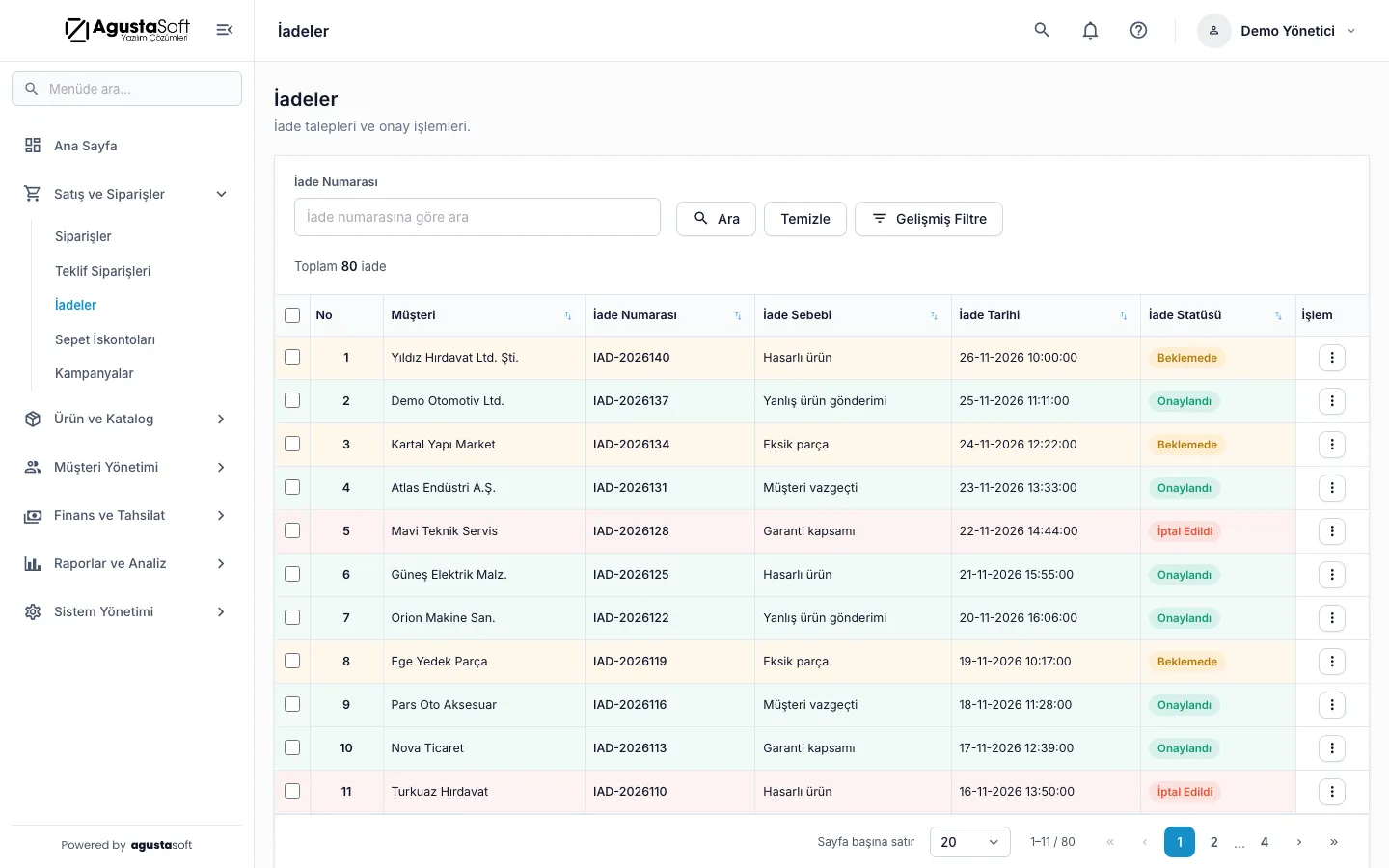
Returns Management

Returns Management

Dealer return requests are listed with reason and status; admins approve or reject them.

  • Return number and reason
  • Pending / approved / cancelled statuses
  • Approve and reject actions
  • Return basket on the dealer side
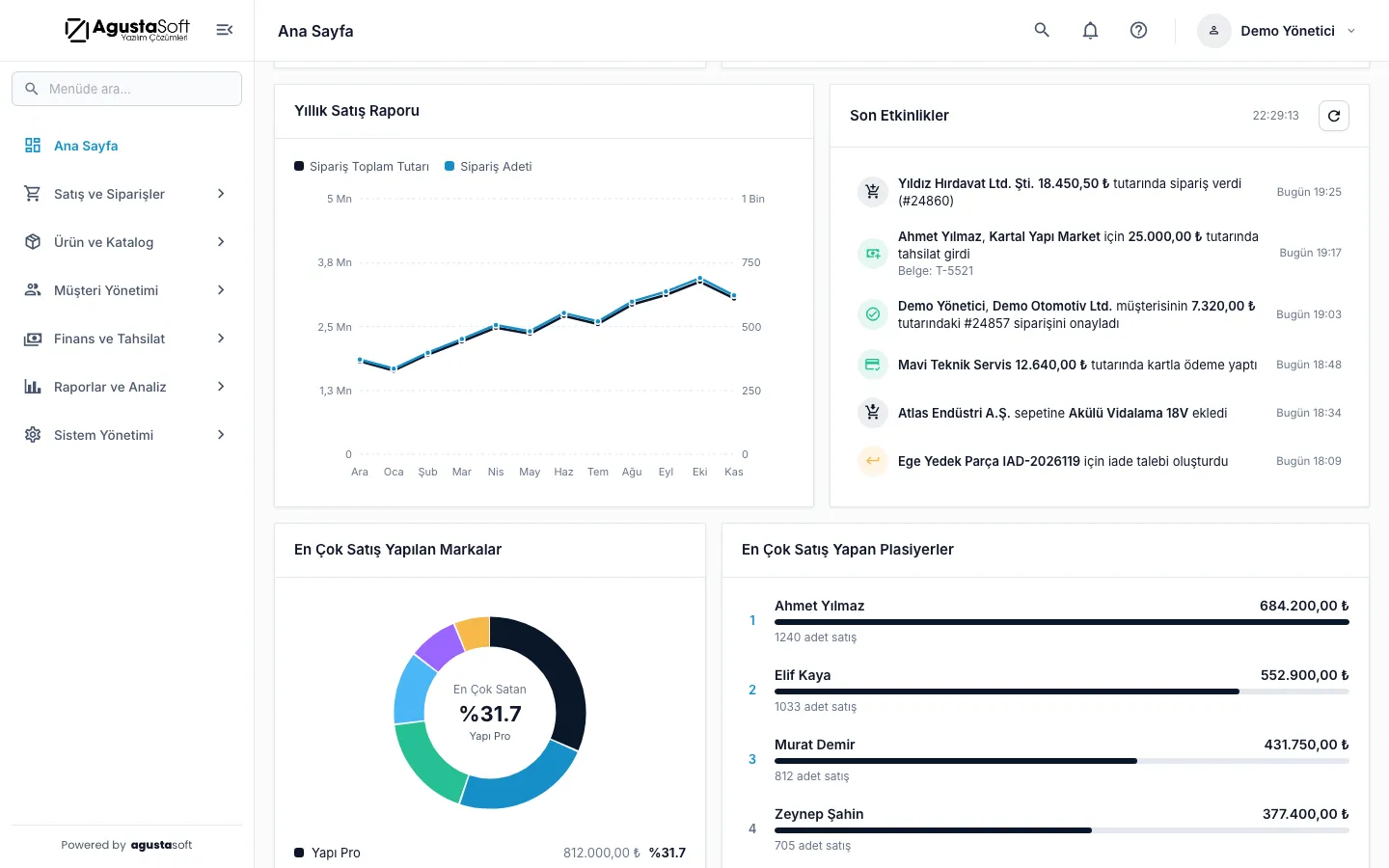
Sales Reports & Analytics

Sales Reports & Analytics

Yearly sales chart, top brands, top sales reps and a live activity feed in the admin panel.

  • Yearly order amount and count chart
  • Sales distribution by brand
  • Sales rep performance ranking
  • Recent activity feed
  • Search and login logs

Frequently asked questions

Yes. Each dealer sees their own prices, discounts and campaigns; campaign and discount rules are defined in the management panel.

Want to see these screens with your own data?

Let us pick the right modules together and show them on your workflow in a live demo.