
WhatsApp AI Assistant

Let dealers search products, place orders and check balances on WhatsApp, with notifications sent automatically.

See the modules

9 modules

Ordering via WhatsApp
Ordering via WhatsApp – Mobile screen

A module-by-module product tour

The screenshots are taken from the product itself and show demo data.

Ordering via WhatsApp
Ordering via WhatsApp – Mobile screen

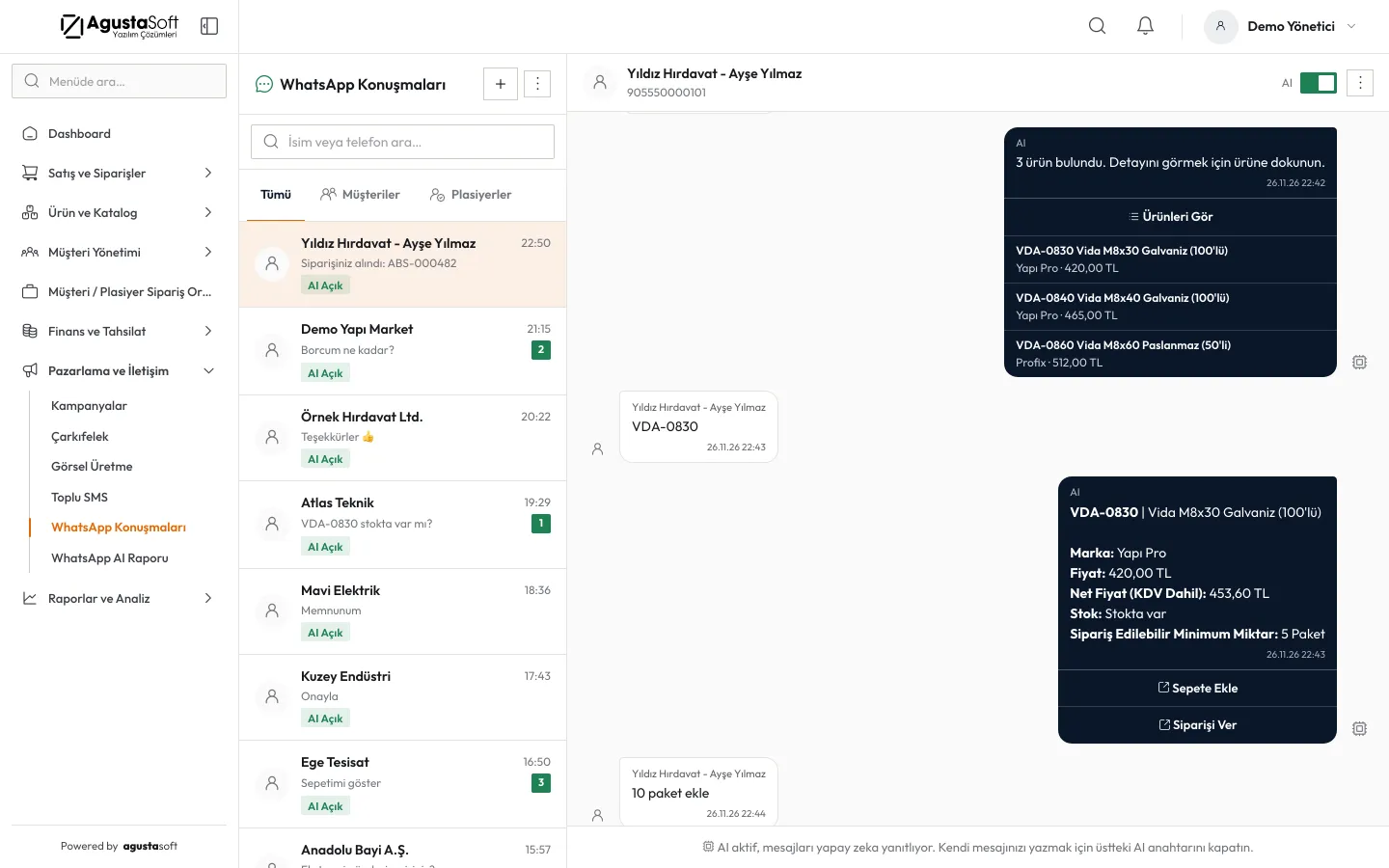
Ordering via WhatsApp

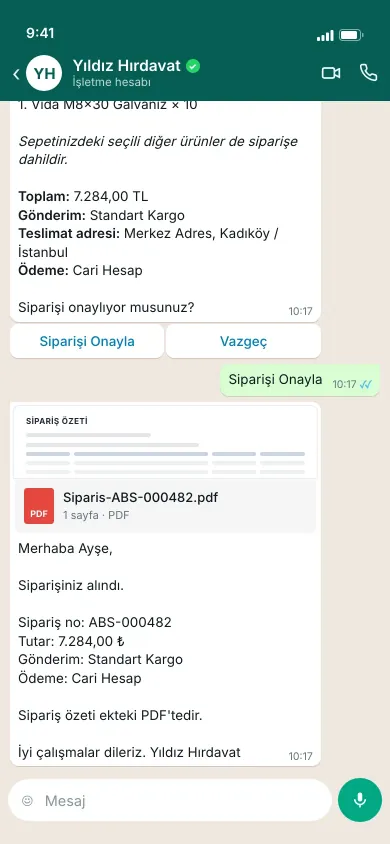
Dealers find products by typing a name, code or OEM number, add them to the cart and complete the order in the chat by choosing shipping, address and payment.

  • Product search by name, code or OEM number
  • Dealer-specific prices and live stock
  • Add to cart by message, with minimum quantity checks
  • Step-by-step checkout: shipping, address and payment
  • PDF order summary after confirmation
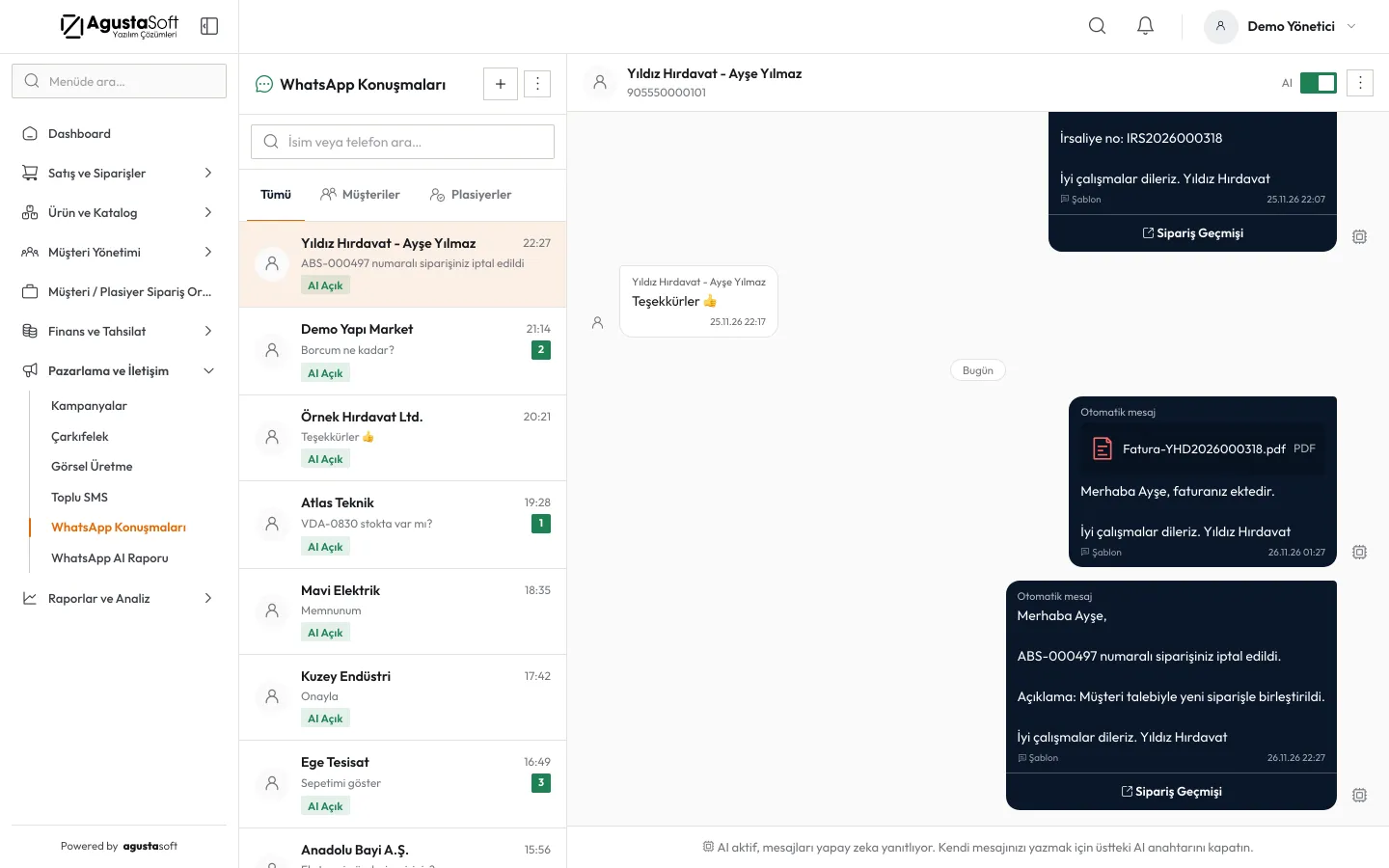
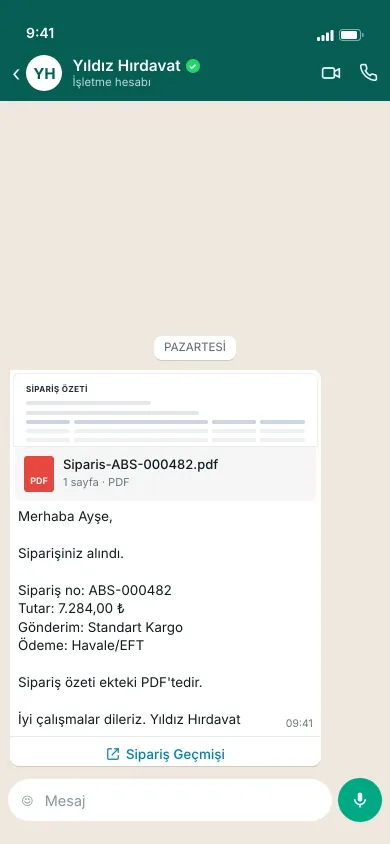
Order Notifications
Order Notifications – Mobile screen

Order Notifications

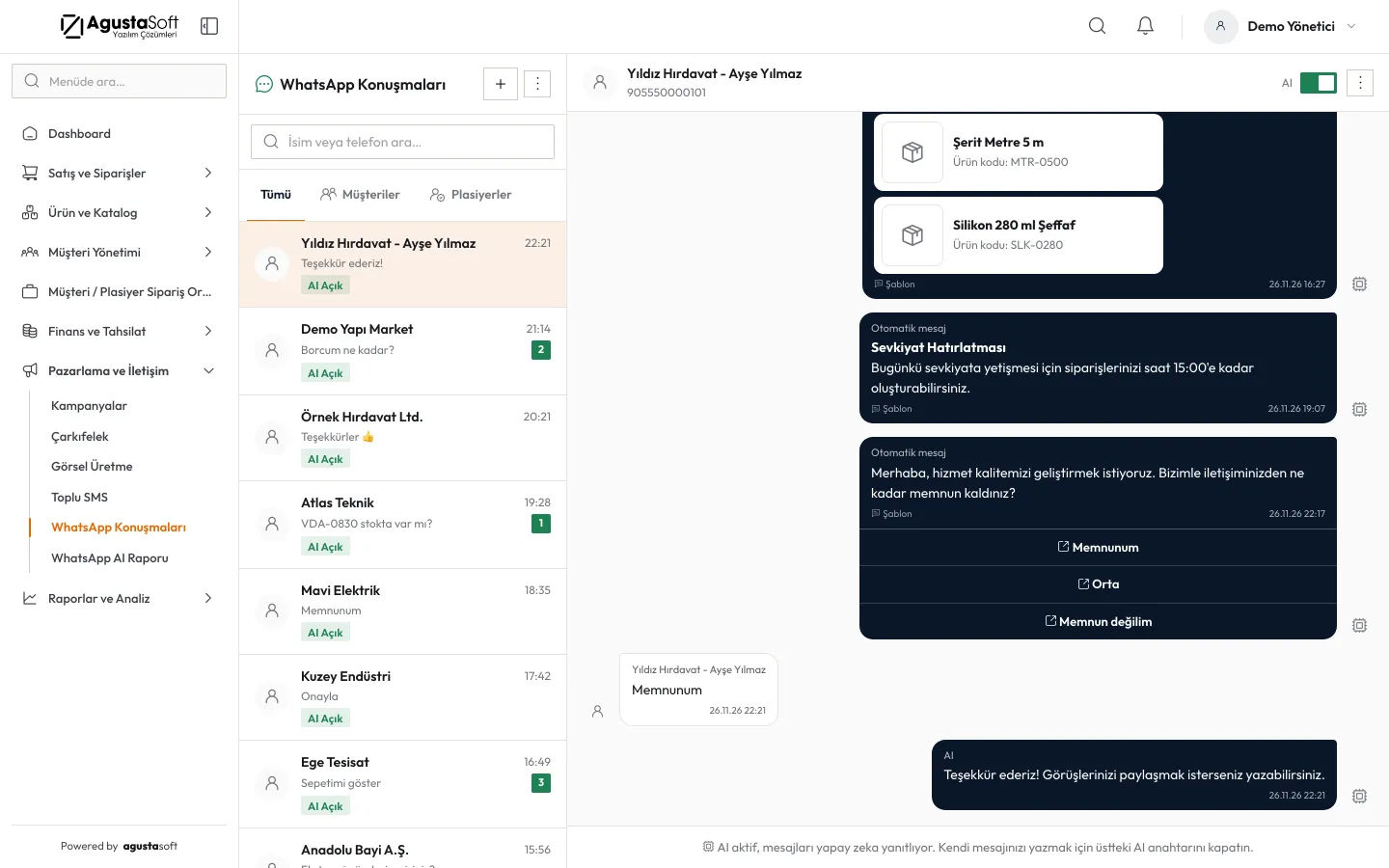
Customers get an automatic WhatsApp message when their order is received, approved, shipped or cancelled, with the order summary and invoice attached as PDFs.

  • Order received message with PDF order summary
  • Approval, cancellation and shipment (waybill no.) alerts
  • Invoice PDF delivered over WhatsApp
  • Approved Meta templates when the 24-hour window is closed
  • "Order History" button linking to the B2B portal
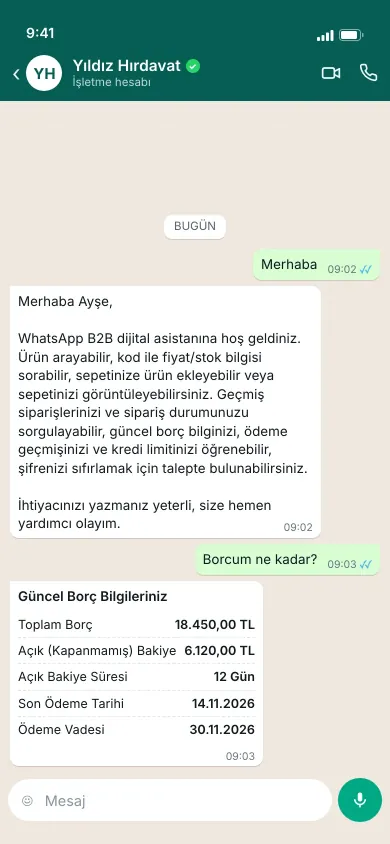
Account and Order Inquiries
Account and Order Inquiries – Mobile screen

Account and Order Inquiries

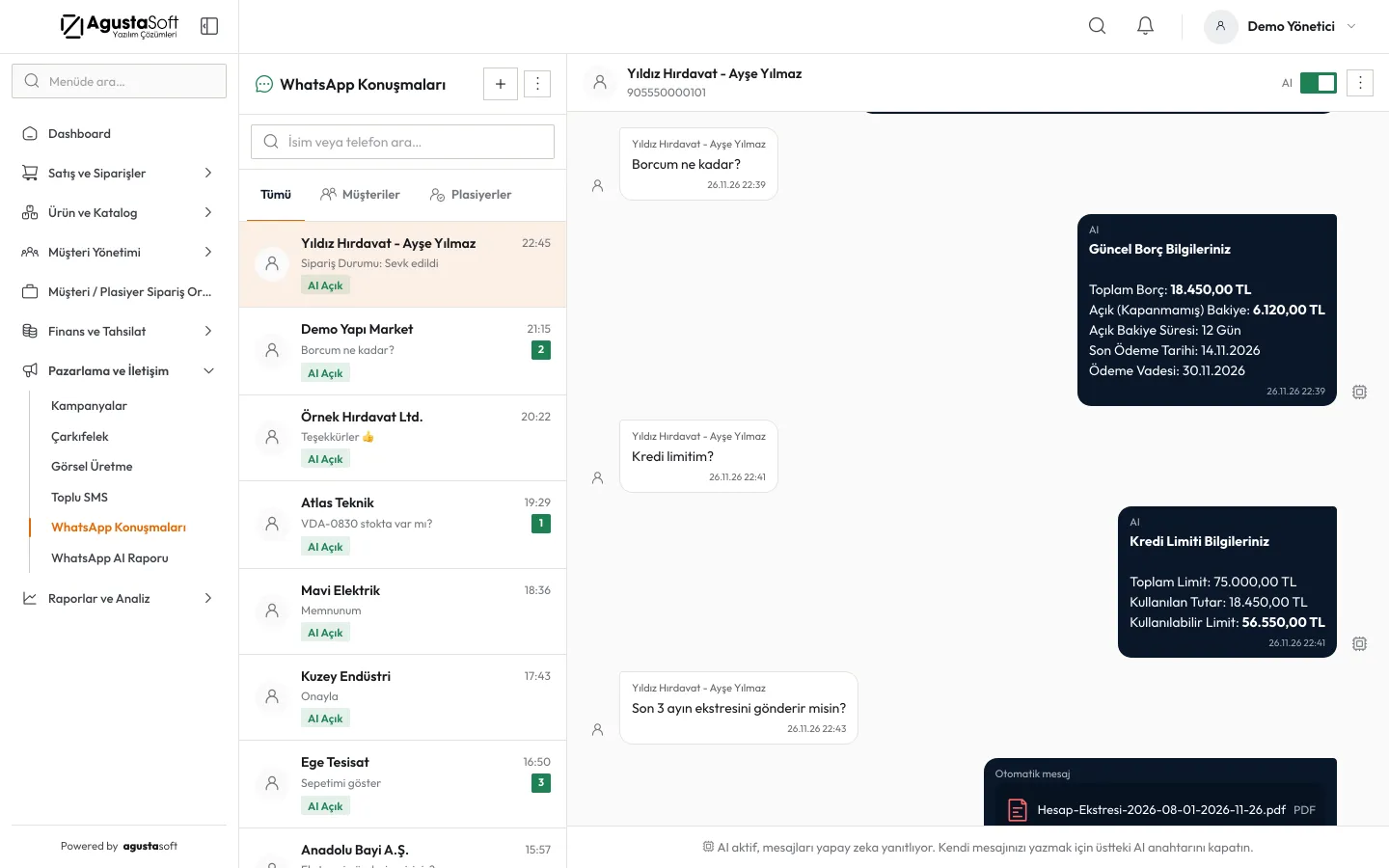
Dealers ask for their balance, payment history, credit limit and order status on WhatsApp; the account statement arrives instantly as a PDF.

  • Current balance and open items
  • Payment history and credit limit
  • Account statement PDF for any date range
  • Order status and past orders
  • Last purchase date, quantity and price of a product
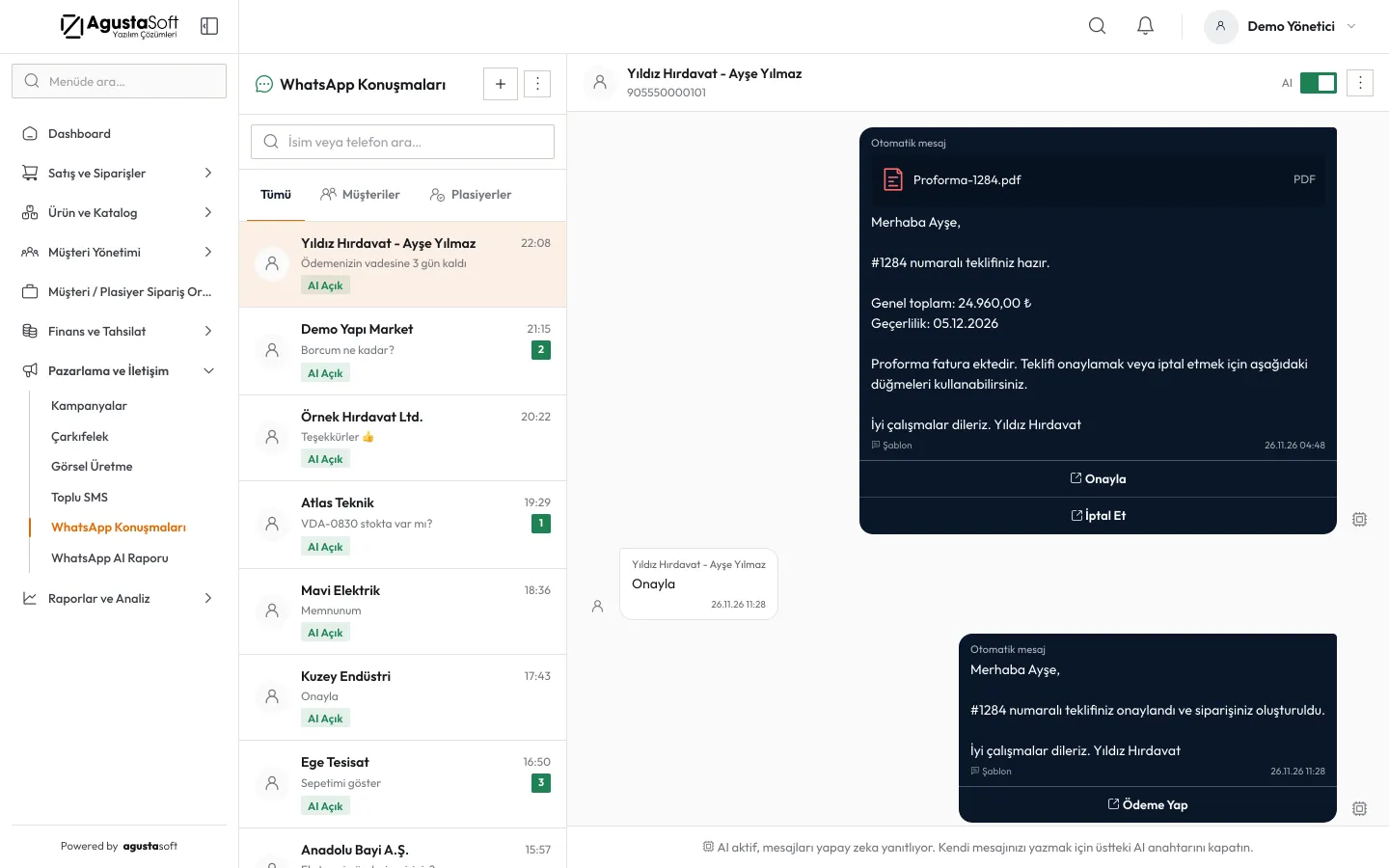
Quotes and Payment Reminders
Quotes and Payment Reminders – Mobile screen

Quotes and Payment Reminders

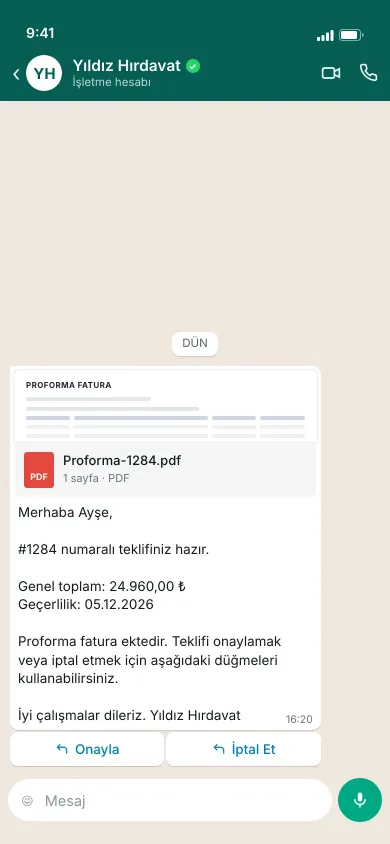
Priced quotes arrive on WhatsApp with a pro forma invoice and the customer approves or cancels with one tap; upcoming due payments trigger a reminder with a payment link.

  • Quote notification with pro forma PDF
  • Approve / Cancel buttons on the quote
  • Approved quotes turn into orders automatically
  • Due date reminder with a "Pay Now" button
Campaigns, Announcements and Surveys
Campaigns, Announcements and Surveys – Mobile screen

Campaigns, Announcements and Surveys

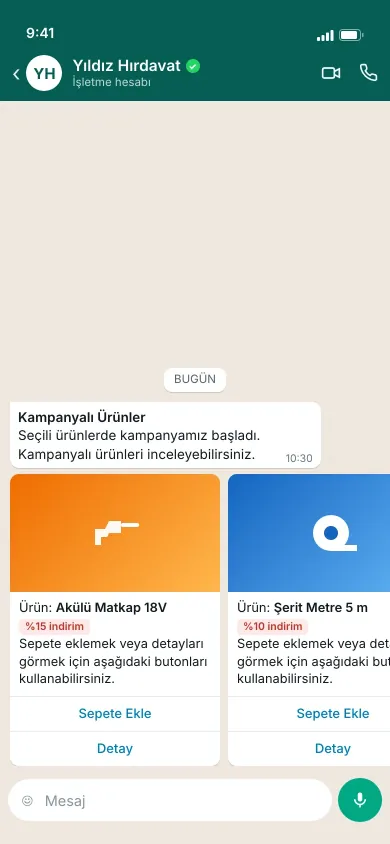
Promoted and new products are announced with swipeable cards, dealers with items left in their cart get a reminder, and dealers receive a three-option satisfaction survey.

  • Promotion product cards (Add to Cart / Details)
  • New product and shipment reminder templates
  • Abandoned cart reminder
  • Three-option satisfaction survey
AI Settings

AI Settings

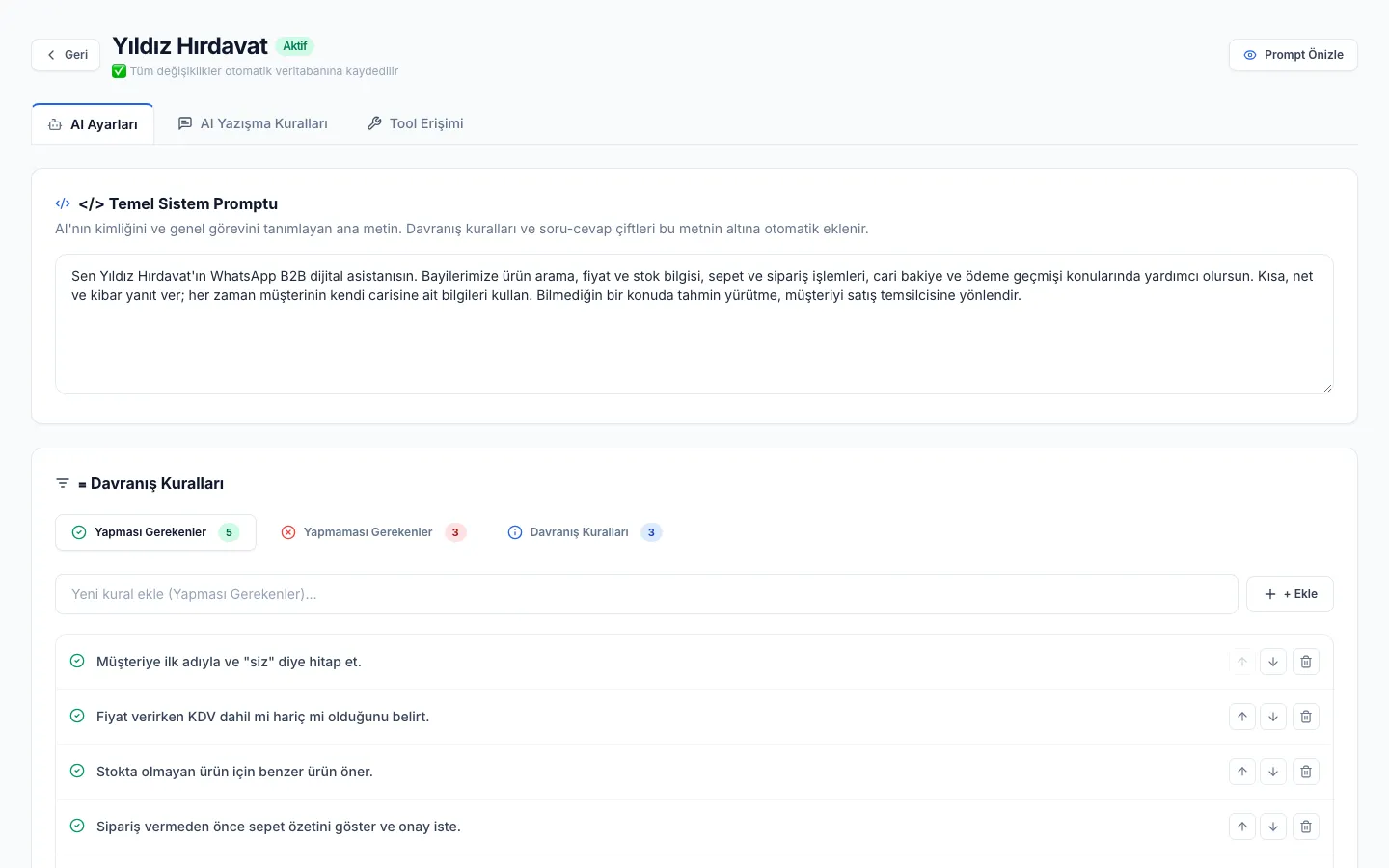
The assistant's persona, tone and rules are written in the panel; do's and don'ts are kept in separate lists and the resulting system prompt can be previewed.

  • Base system prompt
  • Do's, don'ts and general rules
  • Reorder, add and remove rules
  • Live prompt preview and copy
  • Auto-save
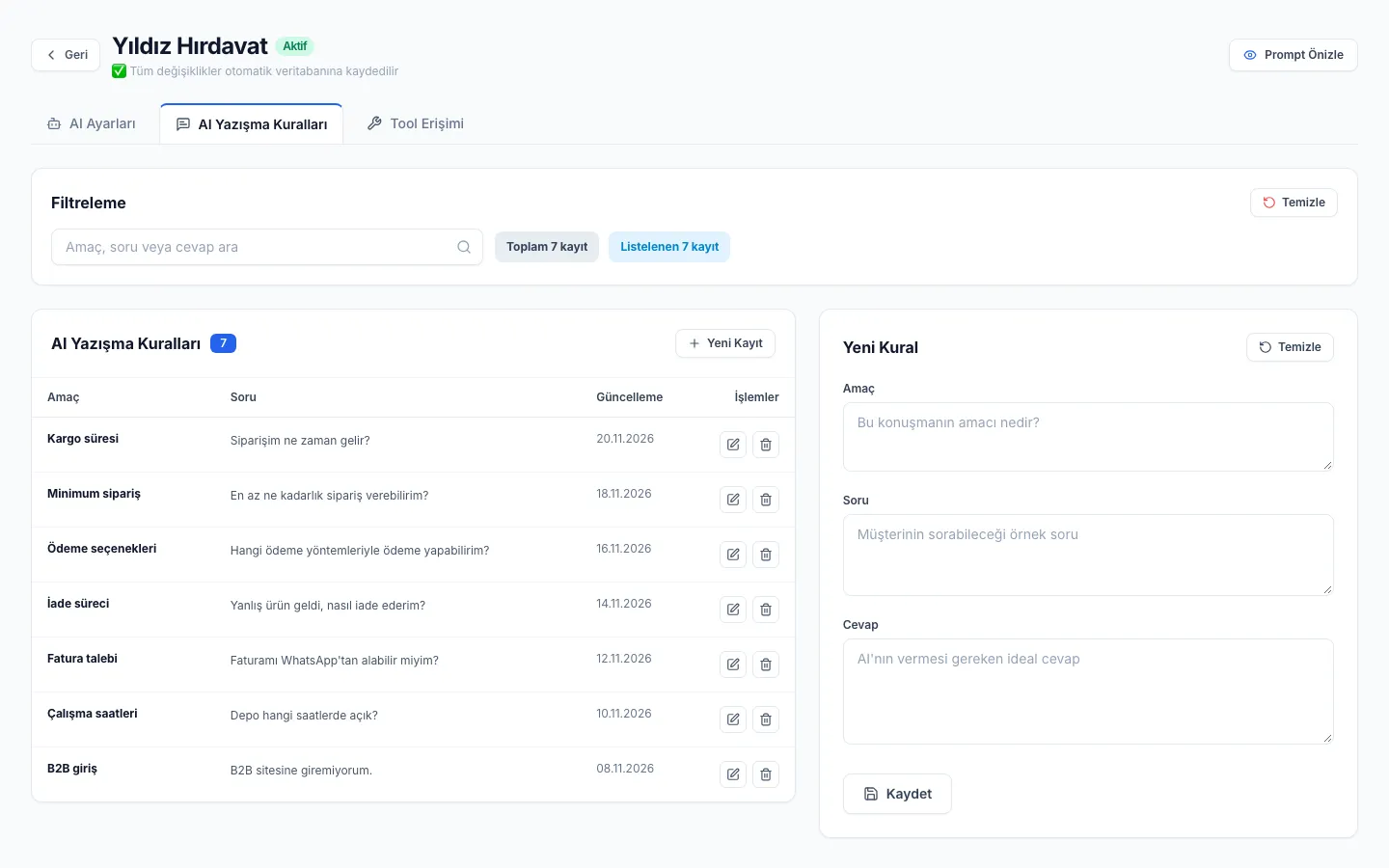
Knowledge Base (Reply Rules)

Knowledge Base (Reply Rules)

Frequent questions are saved as purpose, sample question and ideal answer; the assistant answers customers based on this knowledge base.

  • Purpose, question and answer entries
  • Search and filter entries
  • Add, edit and delete
  • Entries are injected into the prompt automatically (RAG)
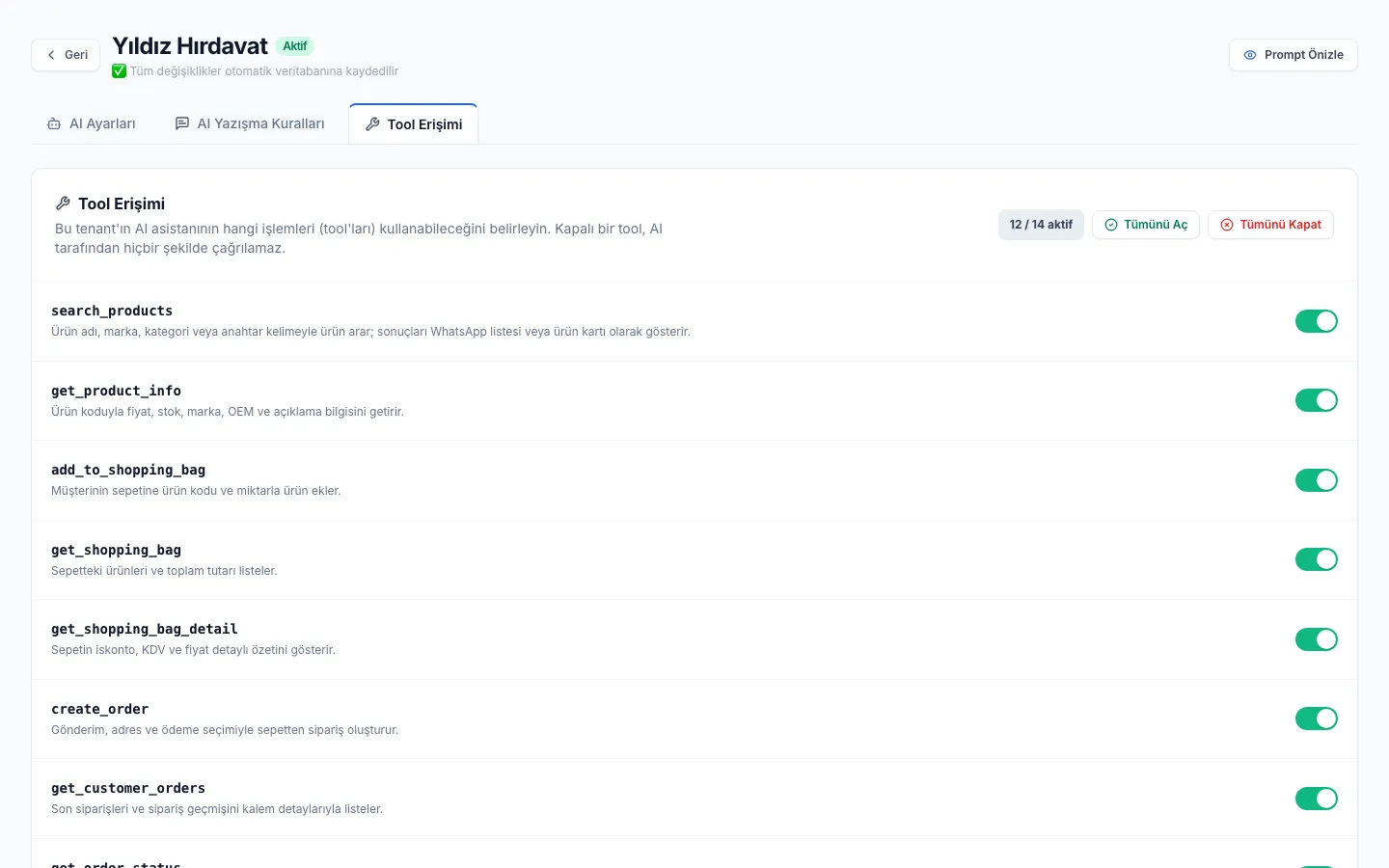
Tool Permissions

Tool Permissions

Which actions the assistant may perform is switched on or off per company; a disabled action can never be called by the AI.

  • 14 actions: product search, cart, orders, balance, statement, password…
  • Per-action on / off switch
  • Enable or disable all
  • Active action counter
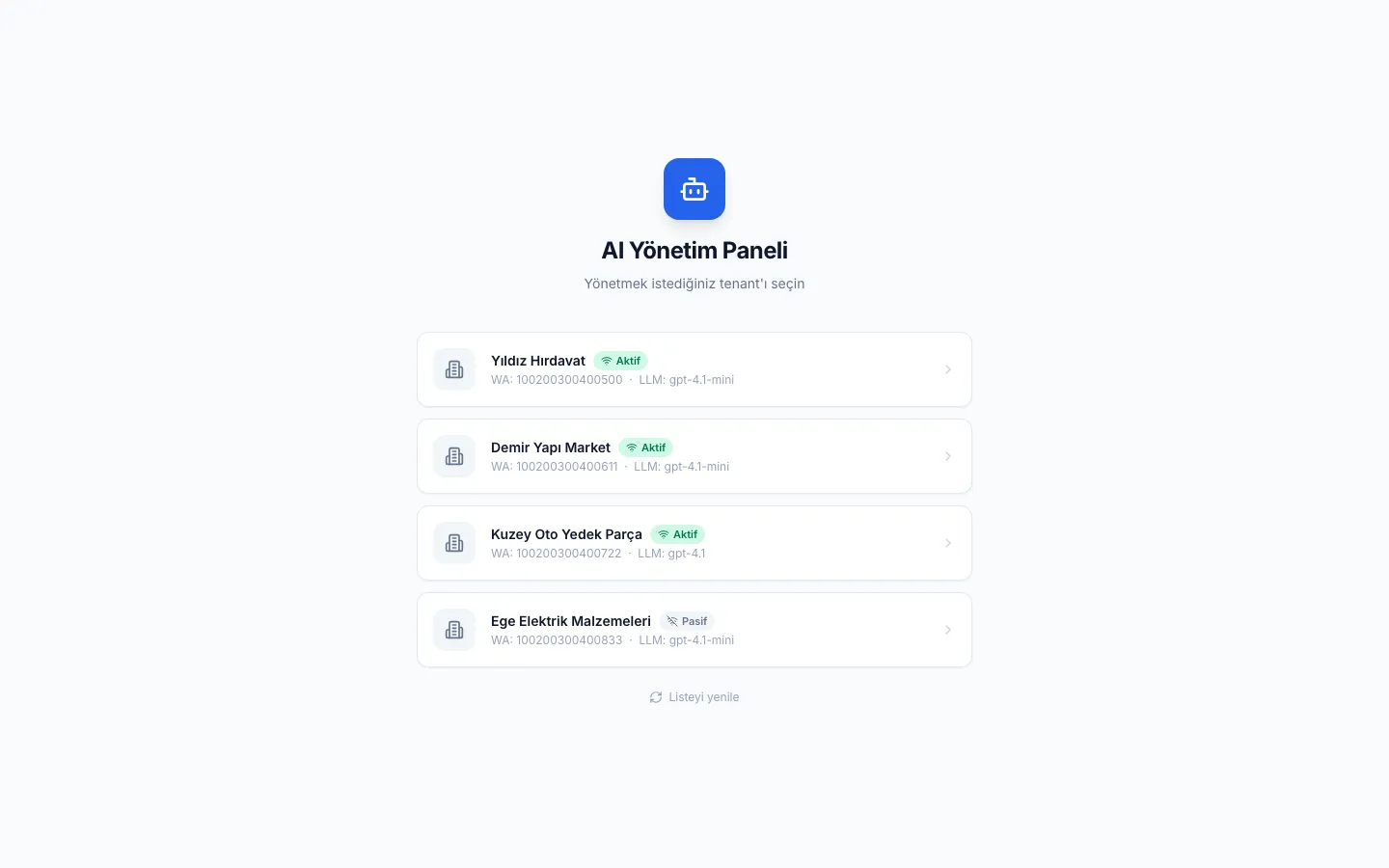
Multi-Company Management

Multi-Company Management

Each company is managed from one panel with its own WhatsApp Business number, AI model and B2B connection.

  • Separate WhatsApp number per company
  • AI model per company
  • B2B / ERP API connection
  • Active / inactive status
  • Replies in Turkish, English and Bosnian; automatic translation for other languages

Frequently asked questions

The assistant connects to your B2B and ERP data and takes products, prices, stock, orders and account details from there. For common questions it follows the rules in the knowledge base.

Want to see these screens with your own data?

Let us pick the right modules together and show them on your workflow in a live demo.